Guide · Saving recipes
That TikTok recipe or YouTube recipe went by too fast. Here is how to get it down.
Where the amounts usually hide, the free ways to catch them, and how to turn one fast video into a recipe that waits for you at the stove.
Short answer
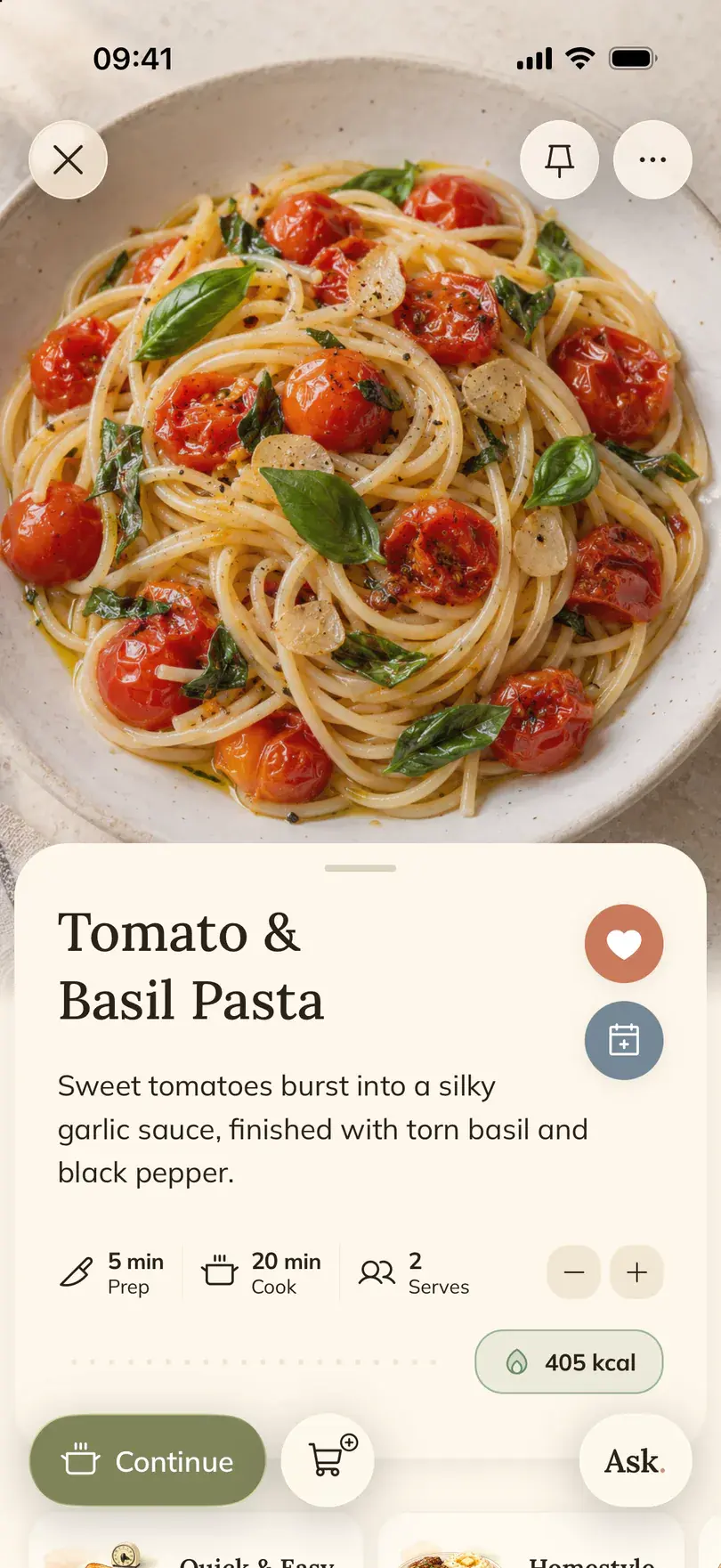
A TikTok recipe or YouTube recipe is made to be watched, not cooked from: amounts flash by or are never said, and the rest of the recipe sits in the caption, a pinned comment or the creator's website. Before you cook, look in those places first, then watch the video once with a note open and write down every ingredient and amount. If you would rather not do that by hand, share the video to an app like FOODIE, which reads the caption and the spoken words, looks at the video when it needs to, and gives you the recipe as text you can cook from step by step.
Why a recipe video is hard to cook from
You see a pasta on TikTok at lunch and decide that is dinner. At six you prop the phone against the kettle, press play, and the butter is already in the pan before you have found the butter. The video lasts forty seconds. The amounts appear as text for half a second, or the creator says "a bit of cream" and moves on. Every time you need the next step you pause with a floury finger, scroll back, miss it, scroll back again.
The other problem is that the recipe is rarely in one place. Part of it is in the video, part in the caption, the oven temperature is in a pinned comment, and the full list is on the creator's blog behind a link in the bio. A YouTube video is usually slower, but a twelve minute video is its own trouble: the step you need is somewhere in the middle and the scrubber is not precise.
First look where the creator wrote it down
Before you rewatch anything, check the text around the video. Many creators put the full recipe in the caption or the YouTube description, sometimes below a "more" you have to tap. On TikTok, open the comments: the creator often pins one with the amounts, or answers "how much flour?" further down.
Then look for a link. A lot of YouTube cooks publish the written recipe on their own site and link it in the description, and some TikTok creators do the same through the link in their profile. If you find it, that page is the best source you will get: real amounts, written by the person who made the dish. Save that page, not the video.
If you are doing it by hand
When nothing is written down, the video is the only source, and the trick is to watch it once before you cook, not while you cook. Open a note, play the video, and write each ingredient in the order it goes in with whatever amount you can see or hear. Where there is no amount, write your own guess and mark it, like "parmesan, a handful?". You now have a recipe you can read with one glance.
Slowing the video helps with the parts that fly by. YouTube has a playback speed setting in the video's settings menu, and TikTok offers a speed option on many videos when you press and hold. On YouTube, many videos also have a transcript you can open from the description, which lets you read what was said instead of listening again.
Screenshots catch amounts that only appear as text on screen. Take one per frame and put them in an album named Recipes so they do not get lost among your other photos. The weak side is the same as on Instagram: five screenshots are five pictures, and you still piece them together at the stove.
- Write the ingredient list first and the steps second. Most mistakes come from a missing ingredient, not a missing step.
- Note the pan size and the oven temperature if you see them. Those are the two things videos skip most.
- Keep the creator's name in the note, so you can find the video again.
Ways to get a recipe out of a video, compared
| Method | Works well for | Falls short when |
|---|---|---|
| Caption, pinned comment, creator's site | Creators who publish the full recipe in writing | The recipe was only ever in the video |
| Watching once and writing it down | One recipe you will cook tonight | The video is long, or amounts are never shown |
| Slower playback and YouTube transcripts | Spoken amounts and quick cuts | Amounts appear only as text or not at all |
| Screenshots of the frames | Amounts shown as text on screen | You want one readable recipe, not a stack of images |
| FOODIE web tools for TikTok and YouTube | A printable copy of one recipe, without installing anything | You want to keep, scale and cook from many recipes |
| FOODIE app (Save to FOODIE) | Videos with no written recipe, kept as text in your library | You are on Android: there is no Android app yet |
Let the app watch the video for you
The manual route works, but it is ten minutes of pausing for every recipe. FOODIE does that part. In TikTok, YouTube or Instagram, tap Share on the video, choose Save to FOODIE, and the recipe is prepared in the background while you go back to scrolling. You can also copy the link and use Paste link inside the app. For the exact taps on TikTok, see how to save TikTok recipes.
What the app reads depends on where the video comes from. For TikTok and Instagram, FOODIE first gathers the text: the caption, what is said in the video, and a recipe page if the caption links to one. Only when that text does not add up to a full recipe does it have the video itself analysed, both the picture and the sound. That is how a video with only music and close-ups of a pan can still become a list of ingredients and steps.
For YouTube, including Shorts, FOODIE reads the description, the title and the spoken words, and the video itself is analysed every time alongside them. One difference to know: it does not open a link in the YouTube description. If the creator's full recipe is on their website, open that page and share it to Save to FOODIE instead, and you get the amounts as the creator wrote them.
Check the amounts the video never gave
No method can find an amount nobody showed or said. If the creator pours oil straight from the bottle without a word, the app sees oil, not a number. So open the saved recipe and read the ingredient list before you shop. Where an amount looks off or is missing, edit the recipe and put in your own, the way you would on a paper card.
This is also the moment to change the servings. A video cooks for whoever filmed it; you might be cooking for two or for six. Change the servings on the recipe and the amounts in the ingredients and in the steps follow. If you only want the arithmetic for a recipe you already have written somewhere, the recipe scaler on this site does the same for a pasted list.
Cook without touching the video
A video runs at its own speed. A recipe you cook from should wait until the onions are soft. In FOODIE, tap Cook on the recipe to open cooking mode: one step at a time, with the ingredients for that step and their amounts shown with it. Tap anywhere for the next step, swipe right to go back, and the screen stays on, so you are not unlocking the phone with wet hands.
When something in the step is unclear, the creator is not there to ask. Tap Ask and the chat opens about this recipe, so you can ask what "cook until it looks right" means for a risotto, or what to use instead of gochujang. More on that in cooking mode and the AI cooking assistant.
The video does not disappear from your life either. The recipe page keeps a View original recipe link, so you can rewatch the one tricky move, like how the creator folds the dumplings, while it is still online. Your copy of the recipe stays in your library even if the creator deletes the video.
Good to know
What still goes wrong
- Private videos and private accounts cannot be read from outside, by FOODIE or by any other app.
- Amounts that are never shown or said are not in the video. Read the ingredient list before you cook.
- FOODIE does not follow a recipe link in a YouTube description. Share the creator's recipe page directly.
- Each video is saved separately. If you have a backlog of hundreds of saved Reels, start with the guide to cleaning up Instagram saved recipes.
- The free plan holds 10 recipes.
- FOODIE runs on iPhone and iPad. There is no Android app yet.
The short version in FOODIE
Share the TikTok, YouTube or Reel to Save to FOODIE. The app writes out the recipe from the caption, the spoken words and, when needed, the video itself. Check the amounts, set the servings, then tap Cook and go one step at a time, with Ask for anything the video skipped. If you only need one recipe on paper, the free TikTok recipe to PDF and YouTube recipe to PDF tools turn a single link into a printable page. Websites, photos and other sources are covered under saving recipes.
Common questions
Frequently asked.
6 answers to the things people ask us most. Tap any question to expand.
How do I get the full recipe from a TikTok video?
Check the caption and the comments first, since creators often pin the amounts there, and look for a link to their website. If none of that has the recipe, watch once and write it down, or share the video to Save to FOODIE: the app reads the caption and the spoken words and, if that is not a full recipe, analyses the video itself.
How do I save a YouTube recipe so I can cook from it?
If the description links to the creator's written recipe, save that page. Otherwise share the video to Save to FOODIE. For YouTube the app reads the description and what is said, and analyses the video itself, then saves the recipe as ingredients and steps you can open in cooking mode.
Can FOODIE get a recipe from a video with no caption and no talking?
Often, yes. When there is no usable text, the video is analysed, picture and sound, and the app writes down the ingredients and steps it can see. Amounts that never appear on screen cannot be read, so check them before cooking.
Does it work with YouTube Shorts?
Yes. Shorts links are handled like other YouTube videos: the description and spoken words are read and the video itself is analysed.
What if the amounts in the saved recipe look wrong?
Edit the recipe and change them. The app writes what the video gives it; if the creator said "some sugar", you decide how much.
Is there a way to do this without installing an app?
Yes. Watch once and write it down, or use the free TikTok and YouTube recipe to PDF tools on this site for a single printable recipe.
Bottom line
A fast recipe video is fine for deciding what to cook and bad for cooking it. Look for the written recipe first, and if there is none, get the video into text once, with the amounts checked, so that at the stove you read one step at a time instead of rewinding.
FOODIE: Digital Recipe Book
Turn the next fast video into a recipe.
Share a TikTok, YouTube or Reel to Save to FOODIE and cook it step by step on iPhone or iPad.
 Try Foodie for free
 Scan with iPhone to download