
Recipe scanner
Scan recipes from a cookbook page, a card or a screenshot.
Take a photo of the recipe, or pick up to four from your gallery when it runs over two pages. Foodie reads them and builds a recipe with ingredients and steps.
 Try Foodie for free
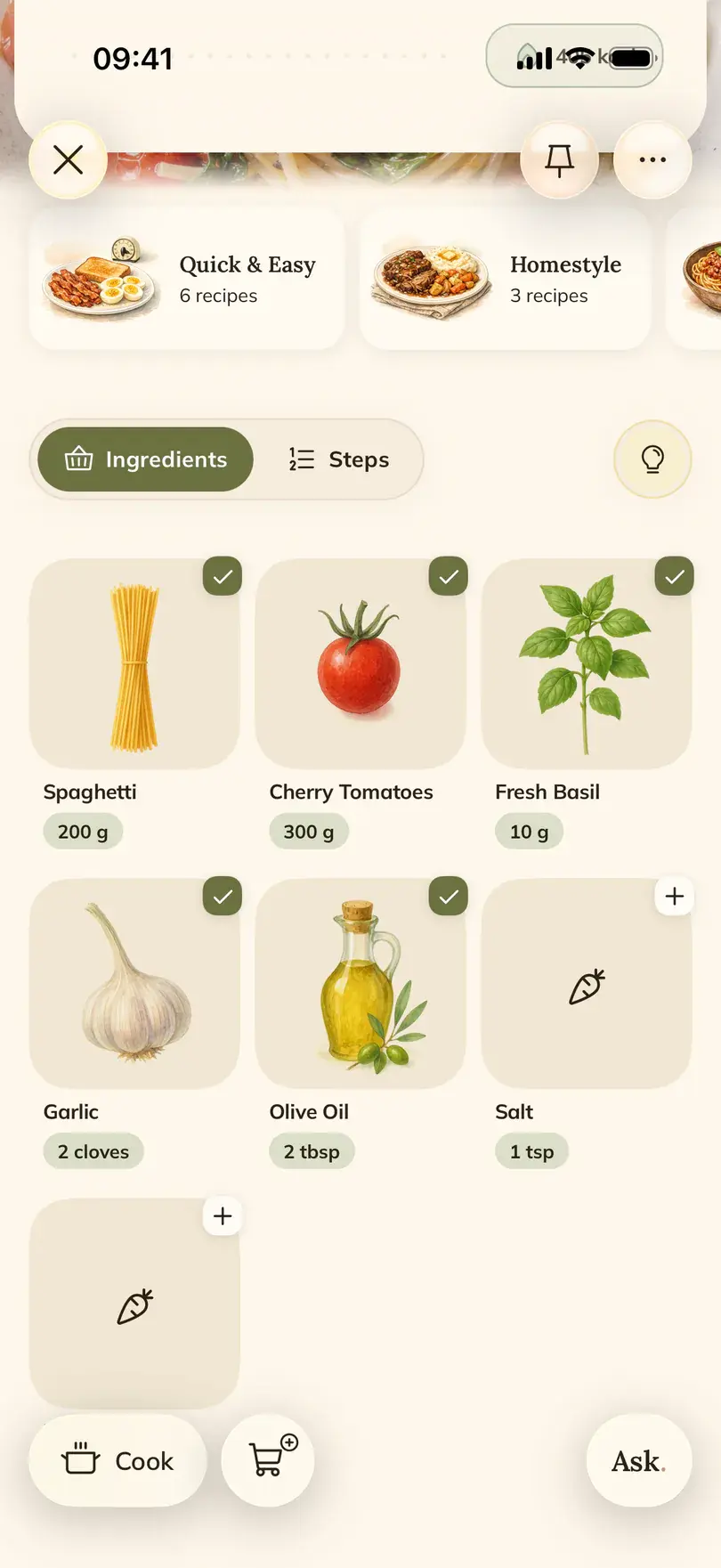

Foodie's recipe scanner turns photos and text into recipes you can cook from. It works with printed pages, handwritten cards, screenshots and even a dish you have only ever made from memory.
How to do it in Foodie
- 01
Choose Photo when adding a recipe
Open the add menu in Foodie and pick the photo option.
- 02
Take or pick the photos
Use the camera, or choose from the gallery. Up to four photos per recipe, all of the same recipe.
- 03
Check that the text is readable
Review the photos before going on. Retake any that are blurry, cut off or full of glare.
- 04
Tap Create recipe
Foodie reads the photos and saves a recipe with ingredients, amounts and steps to your library.
- 05
Or write it in your own words
Pick Text instead and describe the dish the way you would to a friend. Foodie turns it into a tidy recipe.
- 06
Look it over
Compare the result with the original once, fix anything misread, and add it to a cookbook.
When it helps
Cards from a family recipe box
Scan them once and they can be scaled, planned and shared, while the originals stay safe in the drawer.
A recipe across two pages
Add both pages as separate photos of the same recipe and Foodie puts them together.
The dish nobody wrote down
Your dad's stew lives in his head. Type how he makes it, roughly, and you have a recipe to start from.
Good to know
- One recipe at a time. If a page has two recipes, crop the photo or scan them separately.
- Light and focus matter more than the camera. Flat page, no shadow, all the text in the frame.
- Faded or hard-to-read handwriting can be misread. Compare the amounts with the card before cooking.
- A photo of a finished dish also works, but then Foodie suggests a recipe from what it sees, so treat it as a starting point.
Common questions
Questions about this feature.
5 answers to the things people ask us most. Tap any question to expand.
Can I scan recipes from a cookbook?
Yes. Photograph the page with the camera in Foodie, or pick a photo from your gallery, and it becomes a recipe in your library.
How many photos can I use for one recipe?
Up to four, as long as they all show the same recipe.
Can I scan a screenshot?
Yes. Pick it from your gallery like any other photo.
Can I add a recipe without a photo?
Yes. Choose Text and describe the dish in your own words, or paste a recipe someone sent you.
What language will the scanned recipe be in?
The recipe language you chose in Personalization, even if the card is in another language.
Free tools for this


Guides on this topic
- Family recipe book: how to save grandma's recipesCollect the cards, ask the right questions while you still can, digitize the handwriting and choose a format your family will actually cook from.Read the guide
- How to organize recipes from screenshots, links and notebooksScreenshots, phone notes, Pinterest boards, Instagram saves and a stained notebook all work until the evening you need one recipe fast. Here is what each method is good at, where it breaks, and how to pull everything into one place.Read the guide
- Instagram saved recipes: from a messy folder to dinners you can cookWhy the Saved tab stops working after a few hundred Reels, what each fix is good for, and how to get the recipe out of a fast video into a place you can cook from.Read the guide
More features

FOODIE: Digital Recipe Book
Scan the first card from the recipe box.
Free to download. Start with the recipe you would hate most to lose.
Try Foodie for free