Guide · Saving recipes
Instagram saved recipes: from a messy folder to dinners you can cook.
Why the Saved tab stops working after a few hundred Reels, what each fix is good for, and how to get the recipe out of a fast video into a place you can cook from.
Short answer
Instagram saved recipes are bookmarks, not recipes: you can sort them into collections, but you cannot search inside them, the quantities stay buried in captions and videos, and a post vanishes when its creator deletes it. To save recipes from Instagram in a way you can cook from, pick the ten you actually want to make, get each one out as text (copy the caption, screenshot the quantities, or let an app like FOODIE read the Reel for you) and file it by how you cook, not by where you found it.
Why the Saved tab stops working
Saving a Reel takes one tap, so you save everything that looks good at 11 pm. Six months later there are three hundred posts in one grid, sorted by date, with no names. You remember a creamy lemon pasta, but not who made it, and the only way to find it is to scroll.
Even when you find the post, the recipe is spread across three places. Part of it is in the caption, part is in a pinned comment that says "recipe below", and the amounts flash on screen for half a second while the music plays. Then one evening you open it and the post is gone, because the creator deleted it or set the account to private. Saved only ever held a pointer to their post.
Instagram collections: the free fix, and where it ends
Start with what you already have. In Saved, tap the plus to make collections, and when you save a new post, press and hold the bookmark to drop it straight into one. Collections work better when they are named after how you cook rather than what the food is: "Weeknight", "Baking", "Weekend projects", "Try this month". A collection called "Chicken" ends up with ninety posts in it, which is the same mess, smaller.
Collections also have hard limits. There is no search inside Saved, so you still scroll. You cannot see ingredients without opening each video. Nothing tells you which recipes take 20 minutes. And a collection is still a list of links to someone else's posts, so anything the creator removes disappears from it too.
- Make a "Try this month" collection and move only the recipes you would really cook in the next few weeks into it. Everything else can stay in the main grid.
- Once a month, open that collection and either cook, move or unsave each post. A collection you never prune turns back into the main grid.
- When you save a post because of a comment from the creator with the amounts, screenshot that comment right away. Comments get buried under hundreds of replies.
Screenshots and copied captions
The next step most people take is to pull the recipe out of Instagram. Copying the caption into Notes works when the caption actually holds the full recipe: long-press the caption text, copy it, paste it into a note titled with the dish name, and add the creator's handle so you can find the video again. A note has a name and is searchable, which the Saved tab never was.
Screenshots catch what the caption leaves out: the frame where the amounts appear on screen, or the comment with the oven temperature. Put them in a photo album called Recipes so they do not drown among other pictures. The weak spot is that a screenshot is an image. You cannot search it for "feta", and five screenshots of one recipe are five separate pictures you have to piece back together at the stove.
You can turn those screenshots into a proper recipe. In FOODIE, Create, then Photo, takes up to four photos for one recipe, and the app reads the text and the dish in them and writes out the ingredients and steps. From the Photos app you can also share several screenshots at once to Save to FOODIE.
When the Reel is too fast to follow
Many recipe Reels are edited for watching, not for cooking. Thirty seconds, quick cuts, quantities shown for a moment or never said at all. Pressing and holding on the video pauses it, and on longer Reels you can drag along the progress bar, but doing that with oily fingers while the onions burn is not fun.
If you go the manual route, watch it once before you cook with a pen or a note open, and write down every ingredient in the order it goes in, with whatever amount you can see. Where no amount is shown, write your own guess and mark it, for example "garlic, 3 cloves?". That one viewing saves you rewinding six times later.
Or let an app do the watching. Share the Reel to Save to FOODIE and the app gathers everything the post has: the caption, what is said in the voice-over, and a link to a recipe page if the caption has one. When that text does not add up to a full recipe, FOODIE has the video itself analysed, both the picture and the sound, and writes down the ingredients and steps it can see or hear. That is why a Reel with only music and close-ups of a pan can still become a recipe. Amounts nobody shows or says are not in the video, so check them in the saved recipe before you cook. The exact taps are on the page about how to save Instagram recipes with the Share button.
Ways to save recipes from Instagram, compared
| Method | Works well for | Falls short when |
|---|---|---|
| Instagram collections | Sorting what you save, free and in the app you already use | You need to search, see ingredients, or the post gets deleted |
| Copying the caption into Notes | Posts whose caption holds the whole recipe | Amounts are only in the video or in a comment |
| Screenshots in an album | Catching on-screen amounts and comments quickly | You want to search them or cook from five separate images |
| Pausing and rewinding | One recipe you will cook tonight | You cook from it more than once, or your hands are busy |
| FOODIE (Save to FOODIE) | Reels with no written recipe, and keeping recipes as text you own | You want to move hundreds of posts at once: it saves one post at a time |
Clearing the backlog without spending a weekend on it
Whatever method you pick, do not try to move all three hundred posts. Most of them you saved for the mood, not to cook. Scroll through Saved once with one question: would I cook this in the next month? Those, usually ten or fifteen, are the ones worth pulling out. The rest can stay where they are, or be unsaved.
In FOODIE this is honest one-by-one work: there is no bulk import from Instagram's Saved, so each post goes through Share, then Save to FOODIE. You do not have to wait for each one; you can go back to Instagram and share the next while the first is still being prepared, and the finished ones show up in your library. The free plan holds 10 recipes, which is about the size of a good first batch.
Sort as you go. In FOODIE, open a saved recipe and use Add to Book to put it into cookbooks named the way you cook, like "Weeknight" or "Baking". One recipe can sit in several books. A second habit helps: when you cook something and it works, mark it as a favorite, so the recipes you trust are separate from the ones you are still trying. More on organising books in the digital recipe book.
Finding the one you want, later
The reason to move recipes out of Instagram is to find them again in five seconds. In Notes you can search by word, as long as you typed it. In FOODIE every saved recipe is text, so search finds it by name, and the filters narrow the list further: By Ingredient lets you pick what you have, such as chicken and spinach, and shows which saved recipes use them; Cook time limits the list to recipes you can make in up to 15, 30, 45 or 60 minutes.
This is also where the vanishing-post problem goes away. A recipe in FOODIE is stored in your library as ingredients and steps, not as a link to the post, so if the creator deletes the Reel, your copy stays. The recipe page keeps the link under Original recipe, so you can still credit the creator and rewatch the video while it exists.
Cooking from it without pausing a video
A Reel plays at its own speed. A recipe you cook from should wait for you. Whether you use notes or an app, get the steps into a form where each one is a single action with its amounts written in, so you are not hunting for "the sauce from step two".
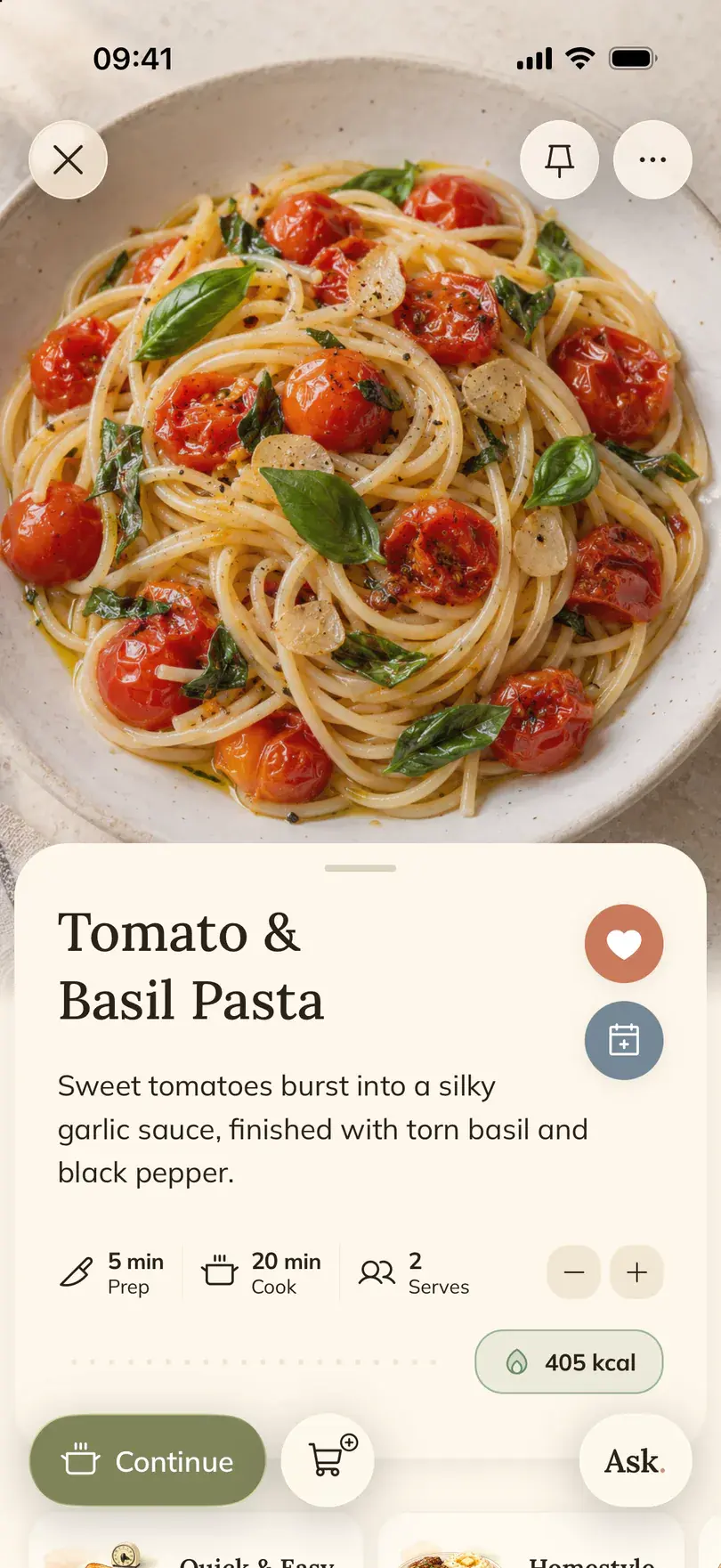
In FOODIE, tap Cook now on a recipe to open cooking mode: one step at a time, with the ingredients for that step listed next to it, and the screen stays on. If something is unclear, Ask opens the chat about that recipe, so you can ask what to use instead of crème fraîche without leaving the step. Change the servings before you start and the amounts in the steps follow. Details are on the cooking mode page.
Good to know
What still goes wrong, whichever way you save
- Private posts and private accounts cannot be read from outside, by FOODIE or by any other app. Screenshot those while you can see them.
- A video that never shows or says an amount has no amount to find. Any method leaves you to judge it, so read the quantities before you cook.
- Saving everything again in a new place just moves the mess. Pick the recipes you will cook first.
- Instagram Stories are not saved this way. FOODIE takes posts and Reels.
- FOODIE runs on iPhone and iPad. There is no Android app yet.
The short version in FOODIE
Share a post or Reel, choose Save to FOODIE, and the app writes the recipe from the caption, the voice-over and the video itself. Sort it with Add to Book, find it later with search, By Ingredient and Cook time, and cook it step by step with Cook now. If you only need one recipe once and do not want to install anything, the free Instagram recipe to PDF tool on this site turns a single link into a printable recipe. For a wider look at the options, see the best Instagram recipe savers, and for collecting recipes from everywhere into one book, the guide to a family recipe book. Other sources, such as TikTok and websites, are covered under saving recipes.
Common questions
Frequently asked.
6 answers to the things people ask us most. Tap any question to expand.
How do I save recipes from Instagram so I can actually find them?
Get the recipe out of Saved and into something with names and search: a note with the caption pasted in, or a recipe app. In FOODIE, share the post to Save to FOODIE; the recipe lands in your library as text you can search by name and filter by ingredient and cook time.
Can I search my Instagram saved posts?
Not inside Saved. You can sort posts into collections, but you have to scroll to find one. That is why it helps to move the recipes you cook into notes or an app.
What happens to a saved recipe if the creator deletes the post?
It disappears from your Instagram Saved, because Saved only links to the post. A caption copied into notes, a screenshot or a recipe saved in FOODIE stays, since it is stored on your side.
Can FOODIE get a recipe from a Reel with no caption and no voice-over?
Yes, in many cases. When the caption and speech do not make a full recipe, FOODIE analyses the video, both picture and sound, and writes down the ingredients and steps it can see or hear. Amounts that are never shown or said cannot be read, so check them before cooking.
Can I import all my Instagram saved posts into FOODIE at once?
No. Each post is saved separately with Share, then Save to FOODIE. Start with the ten or so you really plan to cook; you can share the next one while the previous recipe is still being prepared.
Does saving a recipe in FOODIE remove it from Instagram?
No. Your Instagram Saved and collections stay as they are, and the creator's post is untouched. FOODIE keeps its own copy of the recipe with a link back to the original.
Bottom line
Instagram's Saved tab is good for remembering that a recipe exists, not for cooking it. Choose the ten recipes you will make soon, get each one out as text with its amounts, sort them by how you cook, and the rest of the backlog can stay in Instagram where it does no harm.
FOODIE: Digital Recipe Book
Turn your saved Reels into recipes.
Share a post or Reel to Save to FOODIE, sort it into cookbooks and cook it step by step on iPhone or iPad.
 Try Foodie for free