FAQ
Every question about FOODIE.
Pricing, features, AI sous-chef, Instagram saves, cooking mode, privacy. Answered in one place. Updated as the app evolves.
FOODIE in one minute.
What is FOODIE?
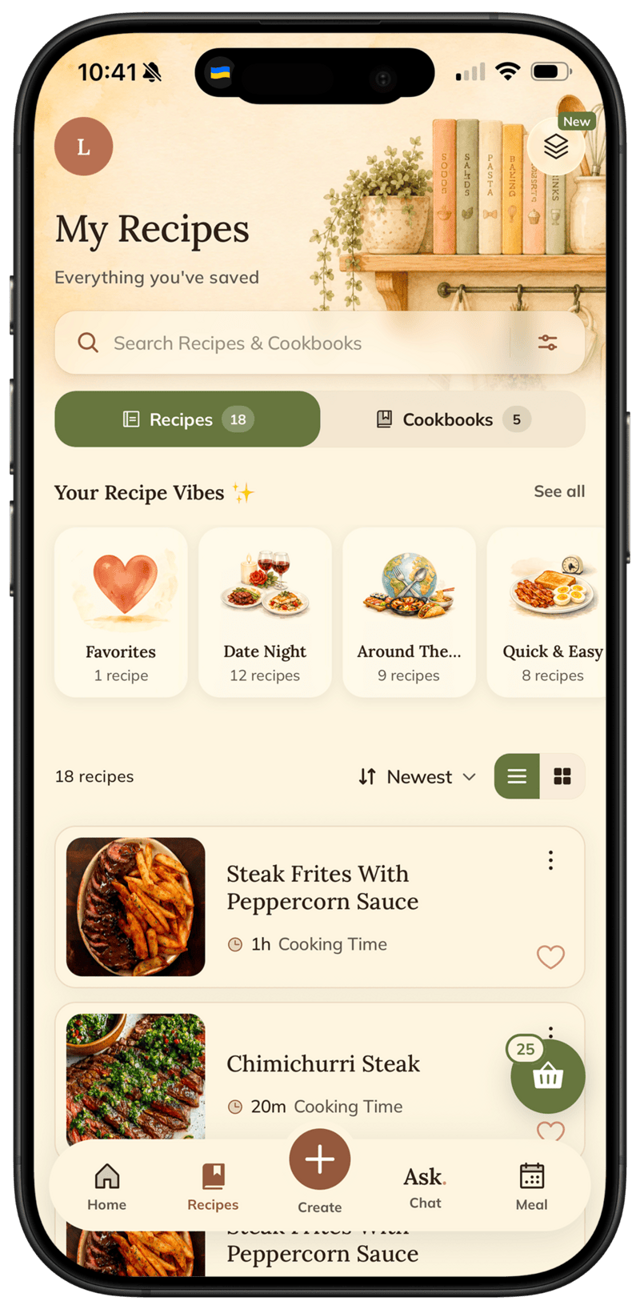
FOODIE is an AI-powered recipe organizer and meal planner for iPhone. Save recipes from Instagram, TikTok, YouTube, web URLs, screenshots, or photos of cookbook pages. Generate recipes from a typed (or dictated) description, a photo, or a chat with the AI sous-chef. Plan a week in a tap-to-add calendar. Build a smart grocery list. Cook with a hands-friendly cooking mode.
Who is FOODIE for?
Anyone who saves recipes from Instagram or TikTok and loses them, busy parents, meal preppers, students cooking on a budget, home chefs, and people tired of Notion or Apple Notes as a recipe app. We have dedicated guides at /for for each.
What devices does FOODIE run on?
FOODIE is iOS-only today (iOS 17.0+). Android and web are on the roadmap.
How much does FOODIE cost?
Free to download. Free tier saves up to 10 recipes and includes basic cooking mode. Premium is $4.17/month annually ($49.99/year) or $4.99/month — unlocks unlimited recipes, AI generation, and full meal-planning automation.
Saving recipes.
Can FOODIE save recipes from Instagram and TikTok?
Yes. Share any public Instagram Reel, post, story, or TikTok video to FOODIE. The AI reads the post's caption and source metadata, then writes a structured recipe with ingredients, steps, and timing. Same flow works for YouTube and any web URL.
Can FOODIE save recipes from private Instagram accounts?
No. Instagram blocks private posts from outside apps. FOODIE works on public Reels, posts, and accounts you can normally view without logging in to a friend.
What about recipes that are only in the caption?
Caption-only recipes parse cleanly — that's the most common shape. If the caption has measurements, FOODIE turns them into a structured ingredient list. If a Reel has zero caption and is pure visuals, parsing may be partial and you'll get a draft to edit.
Can FOODIE import recipes from a photo of a cookbook page?
Yes. Snap a photo of a cookbook page or a magazine and the AI structures it into a real recipe in your library.
AI sous-chef chat.
What is the AI sous-chef?
It's an in-app chat tied to whichever recipe you have open. Ask substitutions ("can I swap butter for olive oil?"), technique ("what does fold-in mean?"), doneness ("how do I know when this chicken is done?"), troubleshooting ("why is my dough sticky?"), or scaling questions — and get answers grounded in the exact dish you're cooking.
How is this different from ChatGPT?
ChatGPT starts every conversation from scratch and doesn't know the recipe on your screen. FOODIE's chat has the recipe loaded as context, so substitution and technique answers fit the specific dish — and you can save the AI's recipe straight into your cookbook.
How many recipes does the AI generate per ask?
One recipe per ask. If you don't love it, ask the chef for another in the same chat — it remembers what you asked earlier.
Does the AI chat use voice?
No voice input in chat today. The only place dictation works is the recipe-create field, where iOS keyboard mic types text for you.
Cooking mode.
What's special about FOODIE's cooking mode?
Big text scaled to be readable from across the counter. Smart ingredient highlights in orange so quantities pop. Tap-to-advance — tap anywhere on the screen with a knuckle, the back of a spoon, an elbow. Screen stays on for the whole session. Quick access to the AI sous-chef and to the ingredient list without losing your place.
Does FOODIE have voice cooking commands?
No. There are no voice commands today. Cooking mode is built around tap-to-advance.
Will the screen really stay on the whole time I'm cooking?
Yes — while cooking mode is open, FOODIE keeps the display awake so you don't have to wake the phone with greasy hands.
Meal planning + groceries.
How does the meal planner work?
Tap-to-add calendar. Pick a day, add a recipe from your saved cookbooks. One slot per day — no breakfast/lunch/dinner grid. Repeat for as many days as you want to plan.
Does FOODIE have an AI "plan my week" feature?
No — meal planning is hands-on. Plan the days you actually need (even one is enough). Need a recipe idea? Ask the AI sous-chef in chat, save the answer, then drop it onto a calendar day.
How do I get a grocery list?
Two flows. From a single recipe: tap Add to cart and ingredients land on your grocery list. From a planned calendar day: tap the cart icon on that day and FOODIE collects every ingredient from every recipe planned for that day.
Is the grocery list grouped by store aisle?
Yes — produce, dairy, pantry, etc. So you walk the store once instead of zigzagging.
Languages + translation.
What languages does FOODIE support?
Seven: English, Español, Français, Deutsch, Italiano, Português, Українська. More on the way.
How does recipe translation work?
Save any recipe in any source language — Italian Reel, Spanish blog, Japanese cookbook photo. FOODIE auto-translates at import time into the language you've set in app settings (or your device default). Translation happens once on save, not via a per-recipe toggle.
Privacy + account.
How does FOODIE handle my data?
Your recipes belong to you. No ad-trackers, no third-party data sharing. The full privacy policy lives at /privacy.
Do I need a separate FOODIE account?
Sign in with your Apple Account. No separate signup, no third-party password to manage.
How do I cancel Premium?
Subscription is managed through the Apple App Store. Settings → Apple ID → Subscriptions → FOODIE. Premium stays active until the end of the billing period.
Try it for yourself
Still have a question?.
Email contact@foodiejournal.app — we typically respond within a day. Or just download FOODIE and try it on your next recipe.