
For the 400 screenshots in your camera roll
Save Instagram recipes as a PDF
Paste a public Instagram Reel or post. Keep its ingredients and cooking steps together in a printable PDF.
Free conversions also depend on a shared monthly allowance. If it runs out, new conversions pause until it resets, even if you have free saves left.
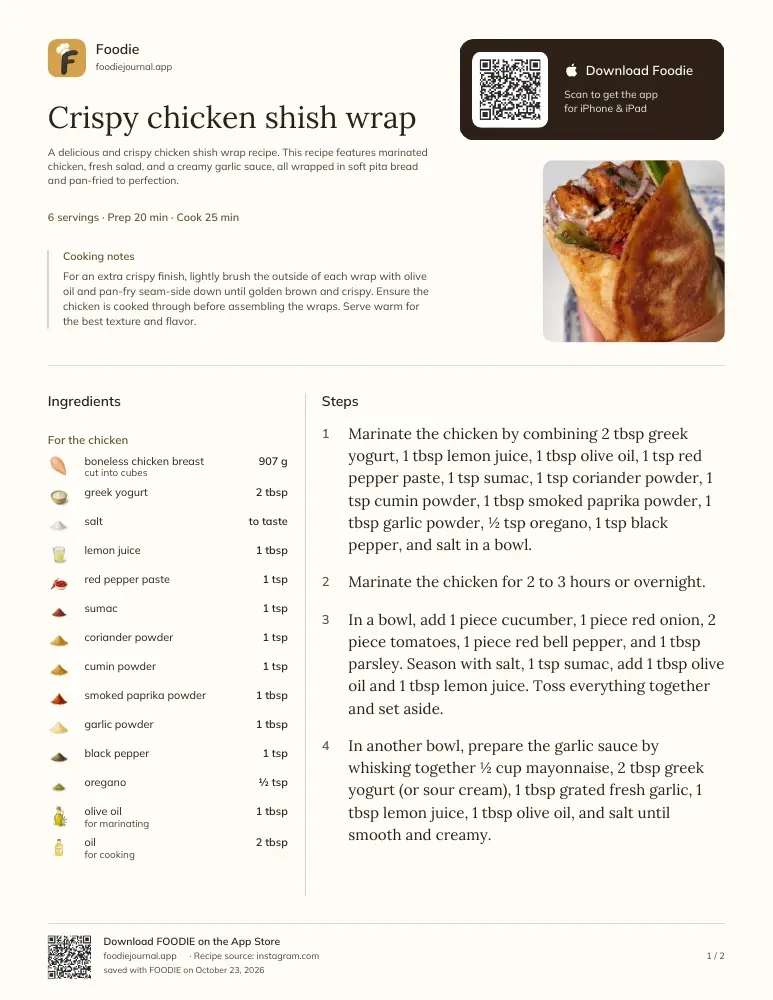 View an example PDF
Start building your collection.
Keep your saved recipes together in Foodie, with meal planning, grocery lists, and cooking steps. The app has its own free limits and Premium plans.
How to save an Instagram recipe as a PDF
Open the Instagram Reel or post with the recipe, tap the share arrow, and choose “Copy link”. Paste that link into the tool above and click “Get my PDF” — the recipe is extracted from the video, audio, and caption, then laid out as a printable recipe card with ingredients, amounts, steps, and cooking times.
Public recipe links can be converted without an account, up to 3 new recipes per rolling 7 days, while the shared monthly allowance is available. For a personal recipe collection with meal planning and grocery lists, Foodie is a recipe saver for iPhone and iPad with its own free limits and Premium plans.
How Foodie helps you save, plan, and cook
Copy the Reel link
Share arrow → “Copy link” on any public post.
Read the recipe
We use the page or video to put the ingredients and cooking steps together.
Download and print
Save the PDF to your device, or print it for the kitchen.
Common questions
Before you paste.
7 answers to the things people ask us most. Tap any question to expand.
Does it work with Instagram Reels?
Yes — Reels are what it's built for. We transcribe the audio, watch the video, and read the caption, then combine everything into one complete recipe.
The recipe is only in the video, not the caption. Will it work?
Yes. Plenty of creators never write the recipe down — we listen to what they say and watch what they do.
Does it work with private accounts?
No — we can only read public posts. If the post opens in an incognito browser window, it will work.
Is this really free?
Yes. You can convert up to 3 new recipes in any rolling 7-day period, without an account or email address. The free web tool also has a shared monthly allowance for all visitors, so availability is not guaranteed.
How many recipes can I convert?
Up to 3 new recipes over the past 7 days. Each successful new conversion stops counting after 7 days; the allowance does not reset on a fixed weekday. Recipes already available from the cache do not use a new save. The counter reflects your device or network, so a shared network may share the limit.
What happens if the recipe is only spoken in the video?
We transcribe the audio and watch the video frames, so recipes that are never written down still come out as complete ingredient lists and steps.
Why can the tool be unavailable if I still have free saves?
There is a separate monthly allowance shared by everyone using the web tool. When it is exhausted, new conversions pause until the next cycle. The status message shows the reset date when available. Your personal allowance does not reserve space in the shared allowance.
