Guide · Saving recipes
How to save Instagram recipes (and actually cook them).
Stop hoarding bookmarks. Turn any Instagram Reel or post into a real, searchable recipe in under 10 seconds.

Stop hoarding bookmarks. Turn any Instagram Reel or post into a real, searchable recipe in under 10 seconds.
Instagram is the world's largest cooking magazine — but it's read-only. You bookmark a Reel, then can't find it, and even if you could, the recipe is buried in a 30-second video. Here's how to fix that with FOODIE.
Step by step
6 steps · 1 minute.
- 1
Open the Instagram Reel or post.
On your iPhone, open the Instagram Reel, post, or story that has the recipe you want to save.
- 2
Tap the share icon.
Tap the paper-airplane share icon below the post — that opens the iOS share sheet.
- 3
Tap the FOODIE icon in the share sheet.
In the share sheet, tap the FOODIE icon. (First time only — scroll the app row, tap More, and toggle FOODIE on so it stays one tap away.)
- 4
Let AI extract the recipe.
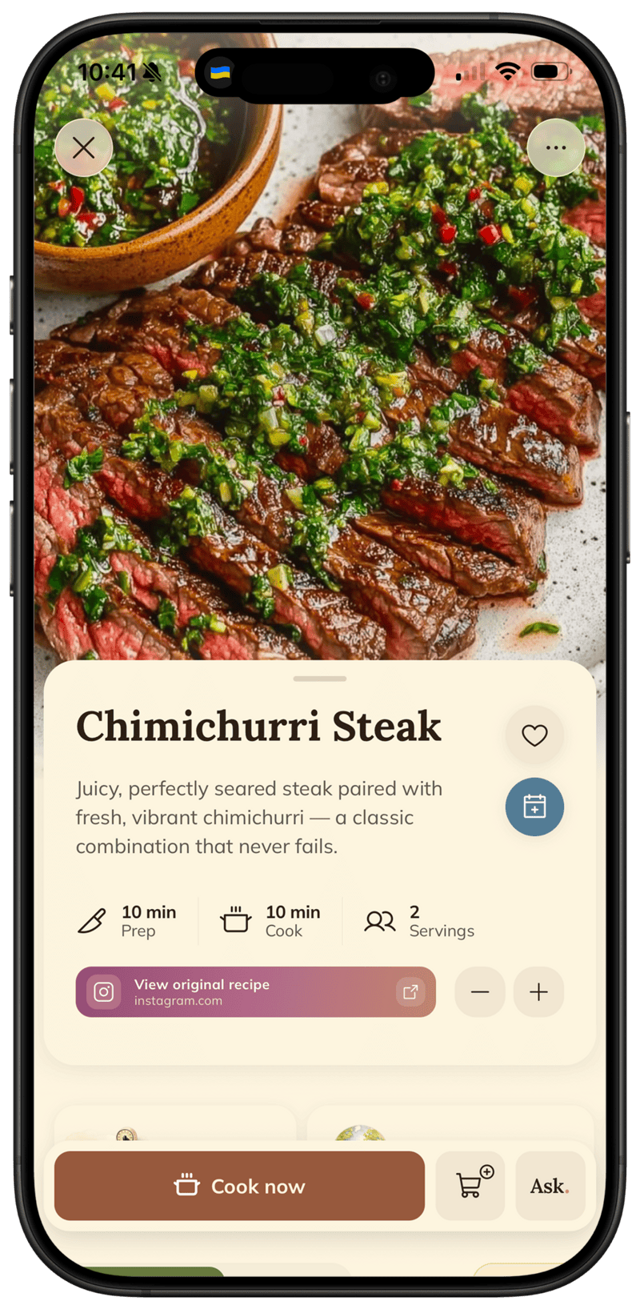
FOODIE's AI reads the post's caption and metadata and extracts ingredients, steps, timing, and servings into a structured recipe — usually in 5–10 seconds.
- 5
Review and save.
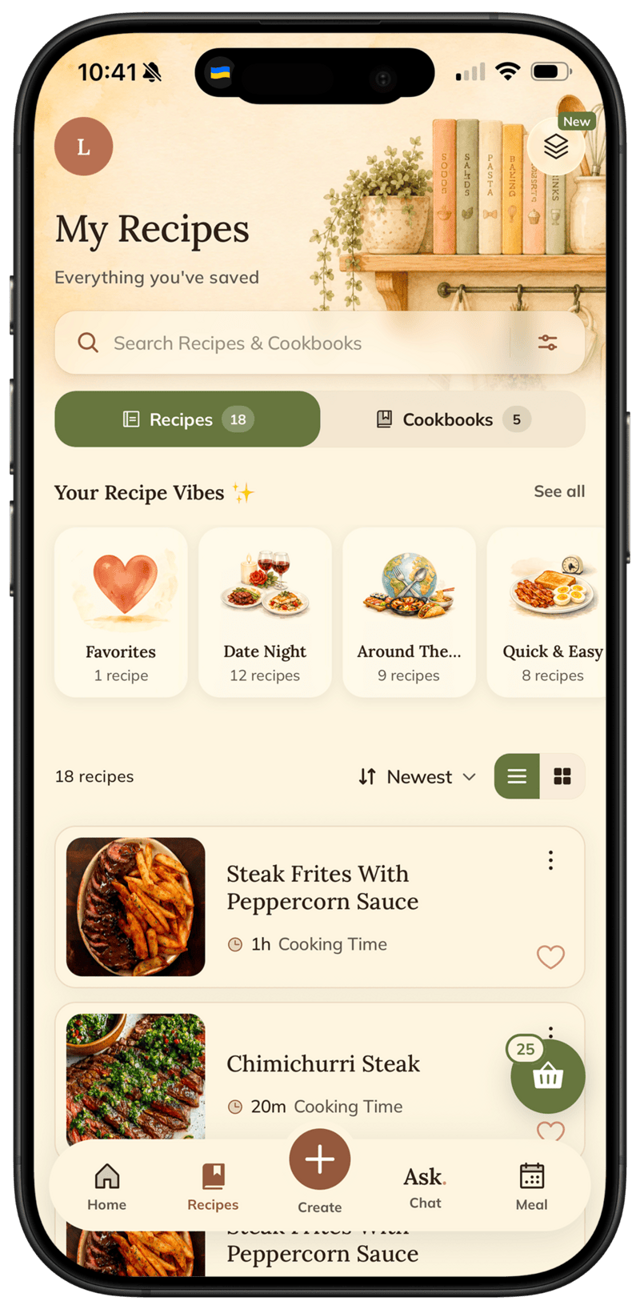
The recipe waits for you in FOODIE — no need to open the app right now. Sort it into a cookbook or tweak it whenever it's convenient.
- 6
Cook from it.
Open the recipe in FOODIE's cooking mode — big text, smart highlights, tap to advance. No more pinch-zooming on a chaotic Reel mid-stir.
Pro tips
From people who do this every week.
- ✦
Save first, organize later — FOODIE's search is fast enough that you don't need to over-tag.
- ✦
Long-press the FOODIE share-sheet icon to set it as a top action so it's always one tap away.
- ✦
If a Reel uses unusual ingredients, FOODIE auto-translates or adds notes for substitutions.
Why FOODIE for this
Made for exactly this workflow.
Most recipe apps (Paprika, Crouton, Notion) only handle structured web recipes — they fail on Instagram videos because there's no formal recipe to clip. FOODIE was built for video-first cooking content.
Try it for yourself
Try FOODIE today.
Free to download. Premium $4.17/month annually. Save your first recipe in under a minute.
Common questions
Frequently asked.
4 answers to the things people ask us most. Tap any question to expand.
01Does this work for Instagram stories that disappear?
Yes — as long as the story is still visible when you share it. FOODIE captures the recipe immediately, so even when the original story expires, the saved recipe stays in your cookbook.
02What about recipes in Instagram captions only?
FOODIE reads captions too. If a creator types out the recipe in the caption, the AI structures it into steps and ingredients exactly the same way.
03Can FOODIE save recipes from private Instagram accounts?
No. Private posts can't be accessed — Instagram blocks them from outside apps. FOODIE works on public Reels, posts, and accounts you can normally view without logging in to a friend.
04How accurate is the AI?
Very accurate for ingredients and steps. Occasionally ambiguous timing or quantities are left as estimates with a note — quicker to edit one number than to type out everything from scratch.
Related
Keep reading.
How to save TikTok recipes
TikTok recipes vanish. Most don't even have ingredient lists. Here's how to capture them properly.
ReadHow to organize recipes on iPhone
Apple Notes was a band-aid. Notion was a project. There's a simpler, better way.
ReadFOODIE vs Paprika
the classic paid recipe manager
ReadFOODIE vs ReciMe
the social-recipe saver
ReadFOODIE vs Notion
the database you turned into a recipe app
ReadWhy over-whipped cream is actually two problems — and how to fix the first one
Over-whipped cream isn't always ruined — a splash of cold cream can save it if you catch it early enough.
ReadWhy your honey crystallizes — and how to fix it in minutes
Crystallized honey isn't ruined — it's a sign of quality, and fixing it takes one gentle trick.
ReadQuick fridge pickles in 30 minutes — no canning, no wait
Mix brine, add vegetables, refrigerate for 30 minutes — that's a pickle.
Read