
Guide · Organizing
Give your recipe collection a little order.
Use cookbooks, favorites, search and pinning to keep the recipes you reach for close at hand.
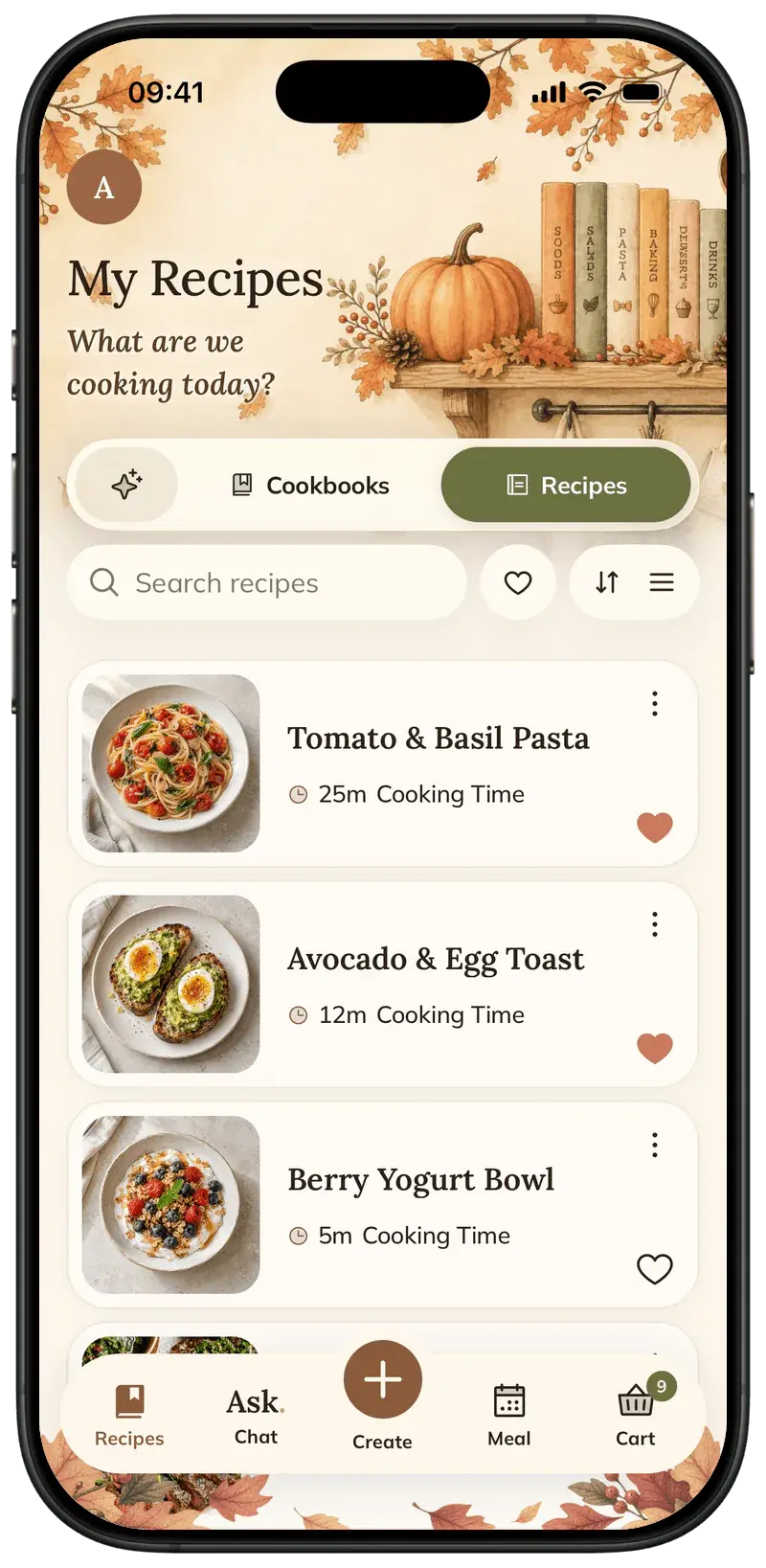
You do not need a complicated filing system. Start with a few recipes you already cook, give them useful homes and make the most-used ones easy to find.
Step by step
5 steps · 5 min
- 01
Bring a few recipes into Foodie
Use Save to Foodie from a sharing menu, or add a recipe from a link, text or photo in the app. Start with a small set of dishes you cook often.
- 02
Create a cookbook
In My Recipes, switch to Cookbooks and create a collection around a useful theme: weeknight dinners, family favorites or dishes you want to try.
- 03
Add a recipe to a cookbook
Open a recipe’s options and choose Add to Book. Select the cookbook you want; use the cookbook controls to manage its contents later.
- 04
Keep favorites easy to find
Favorite recipes you return to. Pin a recipe you want close at hand, and use search when you remember the dish but not its cookbook.
- 05
Edit the version you actually cook
Use Edit Recipe to update ingredients and instructions. Make a Copy if you want to keep a separate version without replacing the original.
Pro tips
Small details that help.
- A small number of useful cookbooks is easier to maintain than a collection of overlapping categories.
- Use favorites for repeat meals and cookbooks for themes.
- Premium can export a saved recipe as a PDF when you need a separate copy.
How FOODIE: Recipe Saver helps
Recipes from different sources share one library and a consistent reader. Cookbooks, search, favorites and pinning help you find what you want without rebuilding a database.
FOODIE: Recipe Saver
Try it in Foodie.
Free to download. Premium $4.17/month annually. Start with a recipe you want to cook.
 Try Foodie for free
Common questions
Frequently asked.
4 answers to the things people ask us most. Tap any question to expand.
Can a recipe be added to a cookbook from its screen?
Yes. Open its options and use Add to Book.
Can I keep an original and an adapted recipe?
Use Make a Copy when you want a separate version, then edit the copy.
Can I automatically import everything from another app?
Add recipes from accessible links, text and photos. For now, bring over the recipes you want to keep individually.
Do I need tags for every recipe?
No. Start with cookbooks, favorites and search, and keep the organization as simple as you find useful.
How to save Instagram recipes
Use Instagram’s Share to menu, choose Save to Foodie, and find the finished recipe in your library.
GuideHow to make a grocery list from recipes
Choose individual ingredients, add a whole recipe, or select ingredients from your meal plan.
Comparison

FOODIE vs Notion
A flexible workspace you can shape into a recipe library
Comparison
FOODIE vs Paprika
Recipe management across Apple, Android, and Windows
Comparison
FOODIE vs Crouton
An Apple-focused cookbook with planning and cooking tools
