Guide · Shopping
How to make a grocery list from recipes.
Stop manually retyping ingredients. One tap from a recipe — or one tap from a calendar day — and the list builds itself.

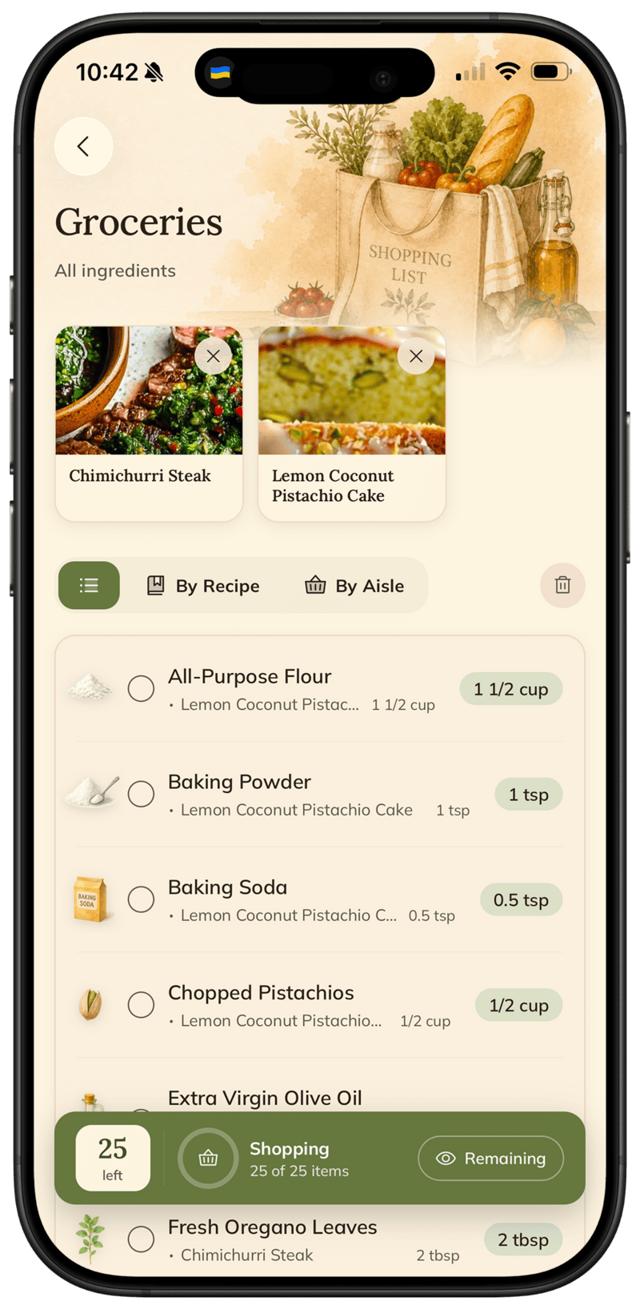
Stop manually retyping ingredients. One tap from a recipe — or one tap from a calendar day — and the list builds itself.
A grocery list built by hand from a few recipes is full of duplicates, missing items, and wrong quantities. FOODIE builds it for you in one tap — from a single recipe or from a day on your calendar.
Step by step
5 steps · 1 minute.
- 1
Pick how to build it.
Two simple options: add a single recipe to your cart, or plan a day on the calendar and let FOODIE build the cart from everything planned for that day.
- 2
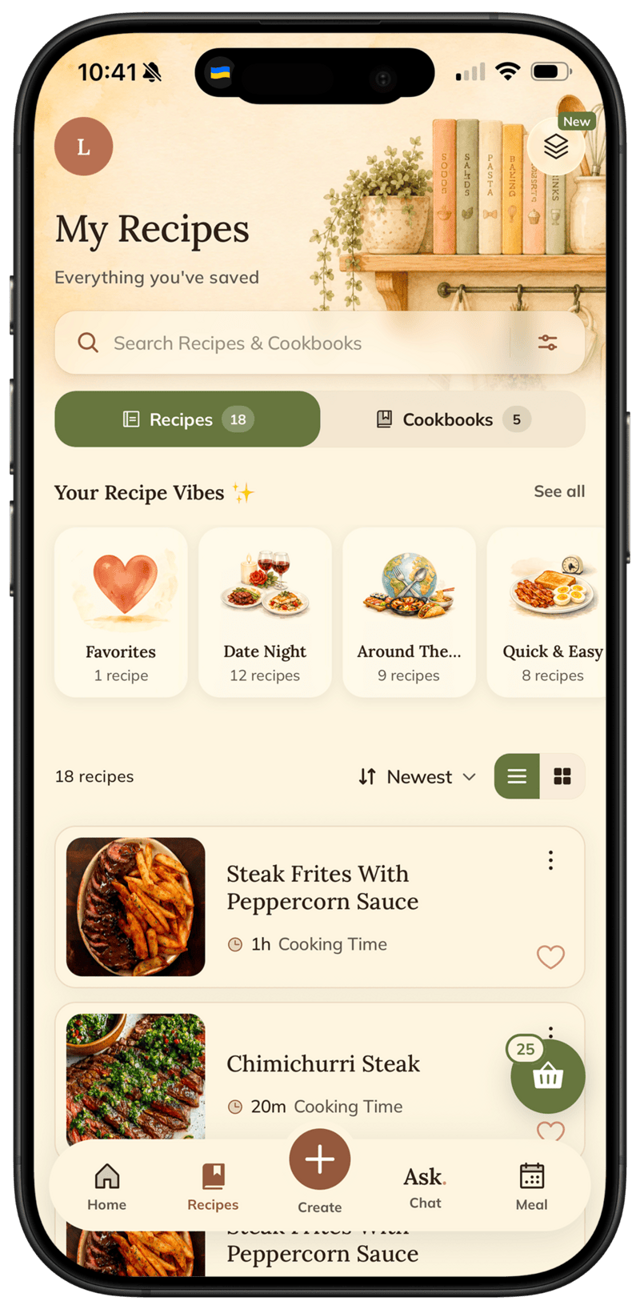
From a recipe — tap "Add to cart".
Open any saved recipe and tap the Add to cart button. Every ingredient lands in your grocery list with the right quantities.
- 3
From the calendar — one-tap builder.
Plan a day on the calendar (or several), then tap the cart icon on that day. FOODIE collects every ingredient from every recipe planned and adds it to your list.
- 4
Quantities merge, grouped by category.
If two recipes need onion, FOODIE adds them up. The list is grouped by category — produce, dairy, pantry — so you walk the store once.
- 5
Check off in store.
Open the list, tap items as you grab them, items grey out. No paper, no forgotten parsley.
Pro tips
From people who do this every week.
- ✦
Even one day on the calendar is enough — tap the cart icon on that day and you've got a list.
- ✦
Skim the list before you head out — it's already grouped, so a 10-second scan is all it takes.
- ✦
If a recipe makes more than you need, scale servings before adding to the cart — quantities adjust automatically.
Why FOODIE for this
Made for exactly this workflow.
Most apps either don't do this at all, or they do it badly (no merging, no aisle grouping). FOODIE was built around the meal-plan → list flow.
Try it for yourself
Try FOODIE today.
Free to download. Premium $4.17/month annually. Save your first recipe in under a minute.
Common questions
Frequently asked.
3 answers to the things people ask us most. Tap any question to expand.
01Can I add things that aren't from recipes?
Today the list is built from recipe ingredients. For non-recipe stuff (toilet paper, dog food), keep a quick note on your phone or use a separate list app — manual-item support is on the roadmap.
02Does it work with delivery apps?
Today FOODIE is a list, not a checkout. You can copy or share the list to any delivery app.
03What if I don't meal plan?
You can build a grocery list directly from one or more selected recipes — no full week planning required.
Related
Keep reading.
How to meal plan for the week
Five dinners, one Sunday, no decision fatigue. The simple method that actually sticks.
ReadHow to scale recipe servings
Tap once. Quantities and units rescale automatically. Even between metric and imperial.
ReadFOODIE vs Mealime
the meal-plan-only app
ReadFOODIE vs Samsung Food
the rebranded Whisk
ReadFOODIE vs Notion
the database you turned into a recipe app
ReadTell ripe avocado from rotten — without squeezing
Stop squeezing avocados in the shop — here's how to read ripeness in two seconds without bruising every fruit on the shelf.
ReadHow to make a five-minute pan sauce from scratch
Every seared protein leaves a flavour-packed crust in the pan — here's how to turn it into a sauce in under five minutes.
ReadHow to tell when meat is done — without cutting it
The finger test, the temp shortcut, and the trick chefs actually use mid-service. No more dry steaks.
Read