
Guide · Cooking
Change portions without doing all the arithmetic.
Use the serving controls in a recipe to scale ingredient amounts for the meal you are cooking.
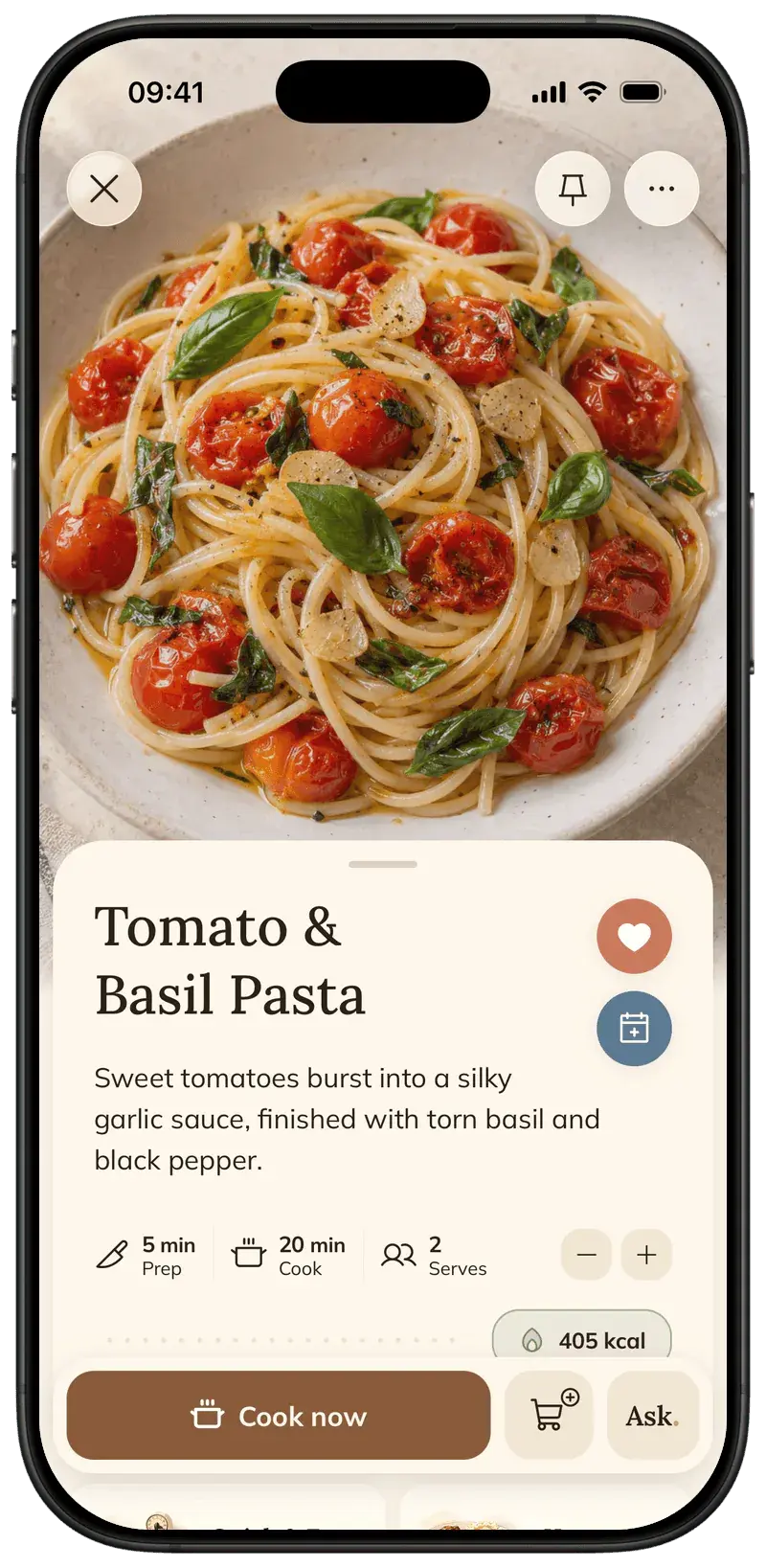
Foodie’s serving controls change the displayed ingredient amounts relative to the recipe’s base servings. This is a temporary cooking adjustment; it is different from editing the recipe itself.
Step by step
5 steps · 1 min
- 01
Open the saved recipe
Find the recipe you want to cook and look at its current serving count. Check that the base quantities make sense before scaling.
- 02
Use the minus and plus controls
Decrease or increase the displayed serving count. Each tap changes it by one person, within the range supported by the app.
- 03
Review the ingredient amounts
The ingredient quantities update with the serving multiplier. Check quantities that were estimated or given without an exact measurement.
- 04
Open cooking mode
Choose Cook now to use the recipe with the current serving multiplier. Ingredient amounts shown in the instructions follow that multiplier.
- 05
Edit separately if you want a new saved version
A temporary serving adjustment is not the same as editing the original recipe. Use Edit Recipe or Make a Copy when you want to save a different version.
Pro tips
Small details that help.
- Per-serving nutrition remains per serving; changing the temporary multiplier is not a new nutrition analysis.
- Cooking time and pan size do not necessarily scale in the same proportion as ingredients.
- The personalization settings control metric or imperial display preferences separately from servings.
How FOODIE: Recipe Saver helps
The same serving multiplier is used for ingredient cards and cooking instructions, so you do not have to recalculate each reference while moving through the recipe.
FOODIE: Recipe Saver
Try it in Foodie.
Free to download. Premium $4.17/month annually. Start with a recipe you want to cook.
 Try Foodie for free
Common questions
Frequently asked.
4 answers to the things people ask us most. Tap any question to expand.
Does changing servings change the ingredient amounts?
Yes. Displayed quantities scale relative to the recipe’s base servings.
Does it permanently rewrite the recipe?
The recipe screen uses a temporary multiplier. Edit the recipe or make a copy if you want a separate saved version.
Does per-serving nutrition double when I double servings?
No. Nutrition is shown per serving. Changing the temporary serving multiplier does not mean the per-serving figures double.
Should I double the cooking time too?
Not automatically. Check the method, pan size and doneness; cooking time does not always scale with the number of portions.
How to translate recipes
Choose App & Recipe Language in Personalization before importing your next recipe.
GuideHow to make a grocery list from recipes
Choose individual ingredients, add a whole recipe, or select ingredients from your meal plan.
Comparison

FOODIE vs Paprika
Recipe management across Apple, Android, and Windows
Comparison
FOODIE vs Crouton
An Apple-focused cookbook with planning and cooking tools
