
 Best of 2026
The 5 best apps to save Instagram recipes.
Turn Instagram recipes into a collection you can find, edit, and cook from. Compare five apps with documented Instagram imports.
The five apps at a glance
| App | A good fit if… | Works on |
|---|---|---|
 FoodieOur pick FoodieOur pick | You want full video analysis and a thoughtfully designed recipe collection, with meal planning, groceries, and AI help built in. | iOS, iPadOS |
 Recipe Keeper Recipe Keeper | You want one recipe collection on your phone and computer. | iOS, iPadOS, Android, Windows, macOS |
 Pestle Pestle | You use Apple devices and want saved recipes with guided cooking. | iOS, iPadOS |
 CookBook CookBook | You want to bring social recipes into your household meal plan. | iOS, Android, Web |
 ReciMe ReciMe | You want to save social recipes on iPhone or Android. | iOS, iPadOS, Android, Web |
Saving a Reel in Instagram keeps a bookmark. A recipe saver can turn the available recipe information into ingredients and cooking steps. That is useful when you want to adjust portions, make a grocery list, or come back to dinner without finding the post again.
The five apps below currently document Instagram recipe imports. This is important: saving a linked recipe website is a different feature from extracting a recipe from a Reel. ReciMe also has meal planning and grocery lists, so the choice is about the full workflow, device support, and plan limits.
5 Instagram recipe apps compared
One Instagram recipe, saved in all five apps.Original Reel
Our pick
FOODIE: Recipe Saver

Turn an Instagram cooking video into a recipe you can actually cook from. Foodie analyzes the video itself and brings the ingredients and steps into a clear, visual recipe, ready for your meal plan, grocery list, and cooking view.
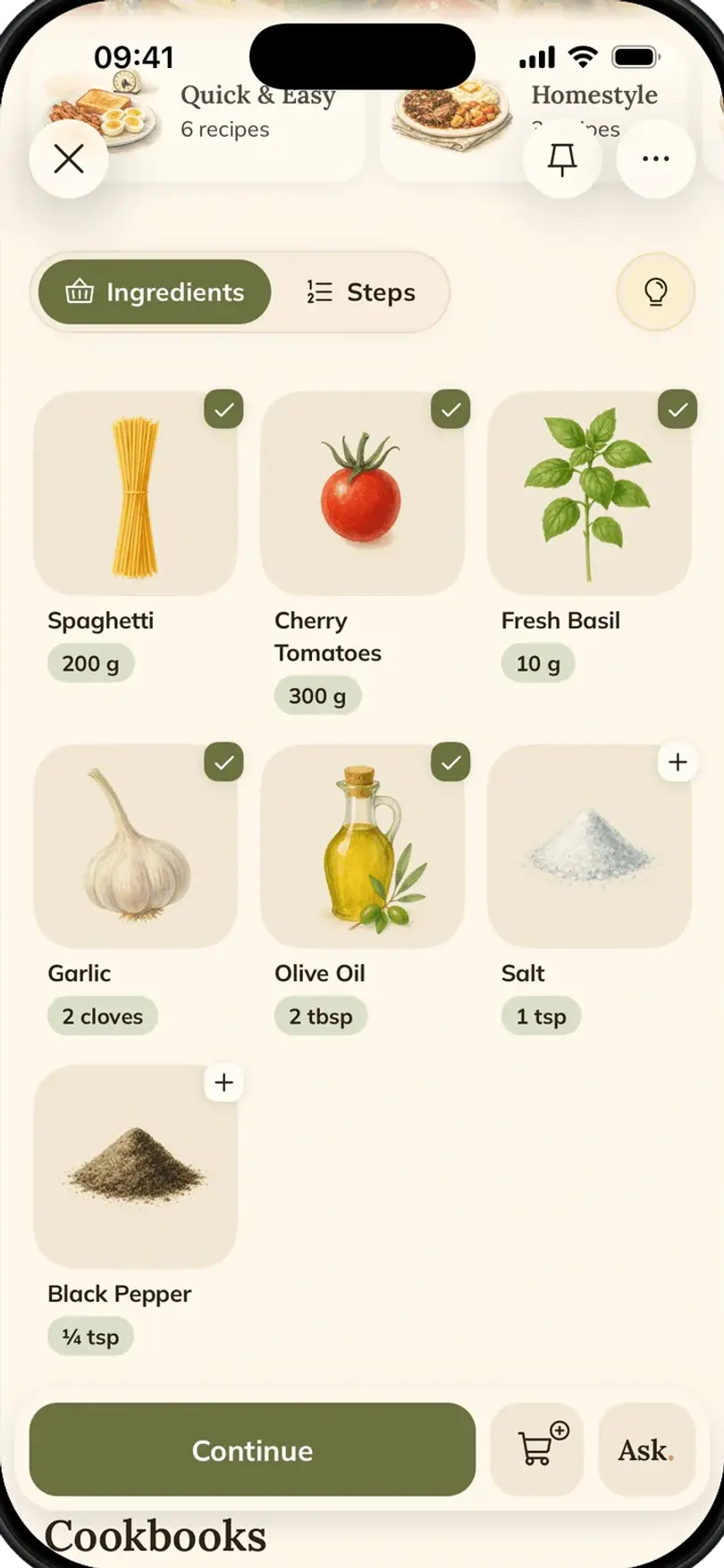
In this saved recipe: Foodie presents the wrap with illustrated ingredient cards, visible quantities, and serving controls. The recipe overview also keeps a link to the original Instagram Reel.
- Pricing
- Free + $4.17/mo (annual) or $4.99/mo
What works well
- Save recipes from social media, websites, photos, and text
- Organize cookbooks, plan meals, and add ingredients to a grocery list
- Follow cooking steps and ask the AI assistant for ideas or changes
- Thoughtful design, with visual ingredients and a clear cooking view
- Analyzes the cooking video itself, not just its transcript
Keep in mind
- Available for iPhone and iPad; check the app for current free limits
- Saving a recipe can sometimes take longer because Foodie analyzes the full video
How saved recipes look in FOODIE: Recipe Saver
Recipe Keeper
A recipe collection across phones, tablets, and computers
In this saved recipe: Recipe Keeper displays the Instagram source link above a text-based ingredient list. The directions follow as numbered paragraphs on the same recipe page.
- Pricing
- Free to try; check the store for upgrade terms
What works well
- Imports from websites, Instagram, and TikTok
- Photo scanning for printed or handwritten recipes
- Recipe organization, shopping lists, and a meal planner
Keep in mind
- Check upgrade and sync terms for each platform you use
- Scanned or imported recipes may need editing
How saved recipes look in Recipe Keeper
Pestle
Recipe saving and guided cooking for Apple devices
In this saved recipe: Pestle shows quantities in green beside each ingredient, with a scaling and conversion control above the list. The cooking steps appear as a numbered list.
- Pricing
- Free download; Pestle Pro available
What works well
- Saves recipes from Instagram and recipe websites
- Organizes recipes into a personal cookbook
- Cooking tools are designed for use at the kitchen counter
Keep in mind
- Apple-focused availability
- Check the current free allowance and Pestle Pro features
How saved recipes look in Pestle
CookBook
Recipe imports, shared planning, and cooking tools
In this saved recipe: CookBook separates the recipe into About, Ingredients, and Instructions tabs. The ingredient view groups items by recipe component, while the steps highlight ingredient names.
- Pricing
- Free for 20 recipes and 20 smart imports; paid upgrades available
What works well
- Imports from Instagram, TikTok, and other supported sources
- Recipe scanning, search, and translation tools
- Meal planning, shopping lists, and cooking mode
Keep in mind
- Check the plan limits before moving a large collection
- Import results depend on the information in the source
How saved recipes look in CookBook
ReciMe
ReciMe saves social recipes into cookbooks and connects them to a weekly meal plan and grocery list. It supports iPhone, iPad, Android, and the web; guided cooking and PDF exports are part of its paid plan.
To us, the recipe screen feels dated: ingredients and instructions rely heavily on text lists. Compare the screenshots if a more visual cooking experience matters to you.
In this saved recipe: ReciMe keeps the creator credit and Instagram link on the recipe page. The instructions highlight ingredient names; the step-by-step cooking button shows a lock in this capture.
- Pricing
- Free tier with weekly import limits; paid subscription available
What works well
- Imports from Instagram, TikTok, YouTube, and other supported sources
- Cookbooks, a weekly meal planner, and grocery lists
- App available in English, Spanish, German, French, and Portuguese
Keep in mind
- Free imports have a weekly allowance
- Step-by-step cooking and some other tools require a paid plan
How saved recipes look in ReciMe
The bottom line
Which one should you pick?
A thoughtfully designed home for your recipes, with full video analysis, meal planning, grocery lists, and AI help.
Keeping one recipe collection across phones and computers
Saving Instagram recipes and following guided cooking on Apple devices
Combining social recipes with a household meal plan
Saving social recipes on iPhone or Android
Reel → Recipe
How to save an Instagram Reel as a recipe
Save a Reel to your collection in three steps. Processing time varies with the video.
- Share the Reel
Open a public recipe video, tap Share, then open the system share sheet and choose Save to Foodie. You can also copy the link and paste it into Foodie.
- AI turns it into a recipe
Ingredients, steps, times and servings — with a link back to the creator's Reel.
- Cook it tonight
Check the ingredients and amounts, add the recipe to a cookbook, and use it for your meal plan, grocery list, or step-by-step cooking.
Methodology
How we compared
The Foodie team saved the same Crispy Chicken Shish Wrap Reel by @iramsfoodstory in all five apps. The screenshots show how each app presented this recipe; they are not a benchmark of import speed or accuracy.
- 01One recipe, five apps
- Every screenshot comes from the same Instagram Reel linked above the app comparisons.
- 02What the screenshots show
- We describe the visible ingredient quantities, recipe sections, cooking steps, and links to the original post.
- 03Features, platforms, and plans
- Feature and plan details come from the linked publisher websites, help pages, and store listings. Availability and limits can vary by plan, region, and version.
Try it for yourself
Try our #1 pick free.
Start your own recipe collection with Foodie, free to download. Premium $4.17/month annually adds unlimited AI generation and full meal planning.
Try Foodie for freeCommon questions
Frequently asked.
01What's the best app to save Instagram recipes?
Foodie is an option for saving Instagram recipes into a personal collection with an AI assistant, planning, grocery lists, and cooking mode. ReciMe, Recipe Keeper, Pestle, and CookBook also document Instagram imports; compare their platforms and plans.
02Can I save Instagram recipes for free?
Foodie is free to download, and ReciMe offers a weekly free import allowance. Other apps offer their own free access or trials. Check the current limits before importing a large collection.
03How do I save a recipe from an Instagram Reel?
Open the Reel, tap Share, then Share to… to open the system share sheet. Choose Save to Foodie and follow the import prompt. Review the ingredients and steps once the recipe is ready.
04What if the Reel has no complete recipe?
An importer may produce an incomplete result or be unable to import it. Look for the creator’s written recipe or linked website, and check missing amounts rather than assuming a generated estimate is correct.
05Do I lose the original creator’s video after saving?
Foodie retains a source link for imported recipes, so you can return to the creator’s post while it remains available.
06Which options work on Android?
ReciMe, Recipe Keeper, and CookBook support Android as well as Apple devices. Foodie and Pestle are Apple-focused options.
