
Foodie features
Everything Foodie does with your recipes.
One page per feature: what it is, how to use it step by step, when it helps and where it stops.
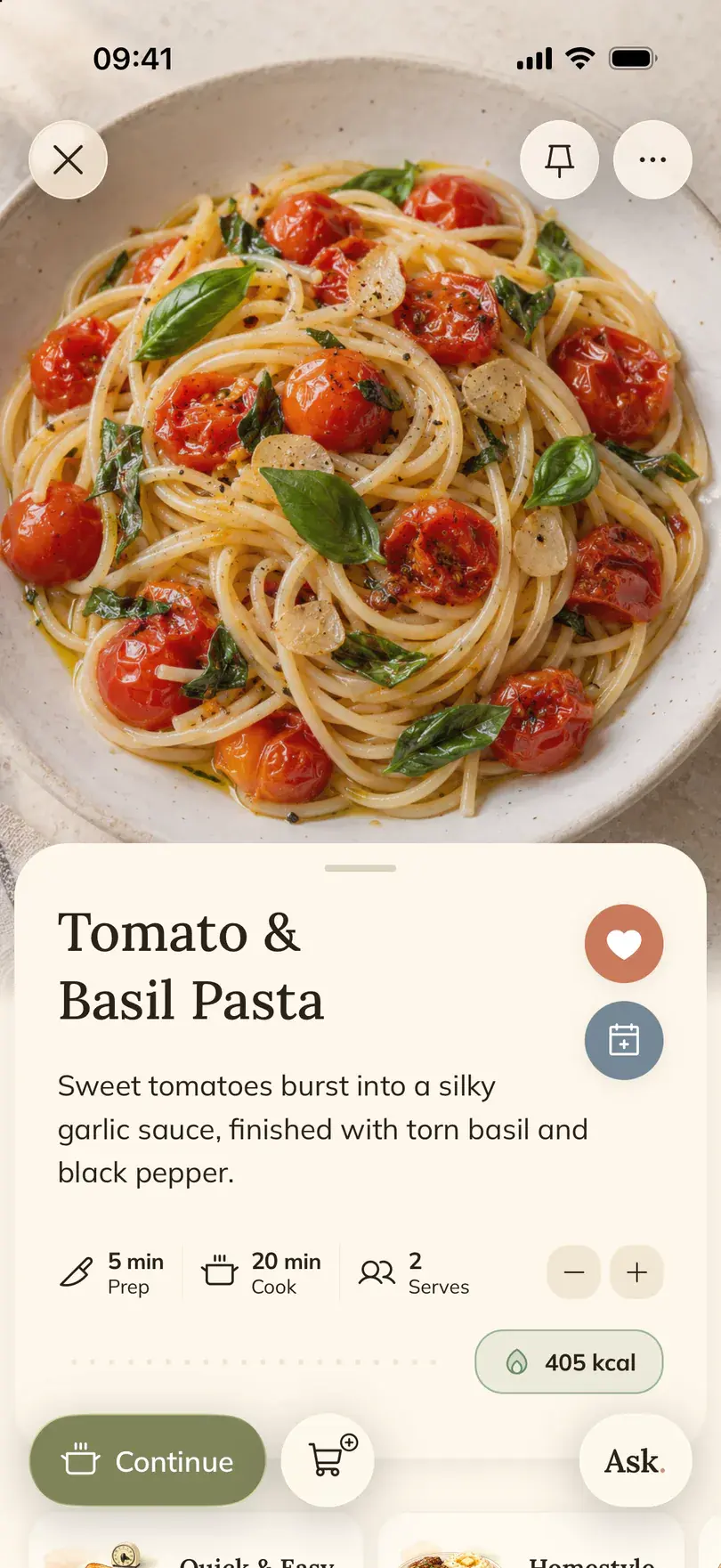


Main features
- Save recipesSave recipes from anywhereInstagram, TikTok, YouTube, Facebook and any website: share the post to Foodie and get a recipe with ingredients and steps.
- Open the recipe where you found it
- Tap Share
- Choose Save to FOODIE
- Recipe bookDigital recipe bookEvery recipe you cook in one place: cookbooks for themes, favorites, pins, search and your own edited versions.
- Bring in a few recipes you already cook
- Make a cookbook
- Add recipes to it
- Meal plannerMeal plannerPut saved recipes on days and meals, see the week or month, and pick the ingredients you still need to buy.
- Open the Meal tab
- Add a recipe to a meal
- Fill the rest of the week
- Grocery listGrocery list from recipesAdd a whole recipe, one missing ingredient or a planned day, then shop by aisle or by recipe and tick items off.
- Open the recipe's ingredients
- Add one ingredient or all of them
- Or start from the meal plan
- Cooking modeCooking modeOne step at a time with the amounts inside each step, the screen kept awake, servings scaled and an AI assistant to ask.
- Open the recipe and set the servings
- Tap Cook
- Tap to move on
- Recipe scannerRecipe scannerPhotos of a cookbook page, a handwritten card or a screenshot become a recipe. Or describe a dish in your own words.
- Choose Photo when adding a recipe
- Take or pick the photos
- Check that the text is readable
- NutritionNutrition per servingCalories, protein, carbs and fat per serving for any saved recipe, estimated from its ingredients.
- Open a saved recipe
- Check the servings and amounts
- Tap Nutrition
More in Foodie
Smaller things the app does, each linked to the page that explains it.
- AI cooking assistantAsk about cooking, get a recipe from what you have, adapt or find a saved recipe.
- Adapt a recipeDairy-free, lighter or quicker: see every change before and after, then keep both versions.
- Recipes from videosCaption, spoken words and what is shown on screen become one recipe. Carousels are read slide by slide.
- Recipes in your languageNew recipes are written in the language you pick, from seven.
- Ready when you areKeep scrolling while a recipe is being saved; a notification tells you when it is in your library.
- Write a recipe in your own wordsDescribe the dish the way you would tell a friend and get a tidy recipe.
- Search by ingredientFind saved recipes that use what you have and see what is missing.
- Smart listsSaved recipes group themselves by mood and moment, like Quick & easy or Date night.
- Favorites and pinsHeart the recipes you repeat, pin the one you are cooking this week.
- Edit any recipeChange ingredients, amounts, steps, times and the cover photo.
- Share or print a recipeSend it as text, make a PDF or copy the ingredient list.
- Change servingsEvery amount follows, in the list and inside the steps.
- Metric or imperialGrams or ounces, °C or °F, for every recipe.
- Meal plan as PDFShare the week plan or print the week or the month.
- Groceries by aisleView the list by ingredient, by recipe or by section of the store.
- Share the shopping listSend the list to whoever is doing the shop.
- iPhone and iPadSign in to the same account and your recipes, plan and list are on both.
