Guide · Cooking
How to use the AI sous-chef while cooking.
Questions always pop up mid-recipe. With FOODIE you don't open a browser — you ask the chef who already knows what you're cooking.

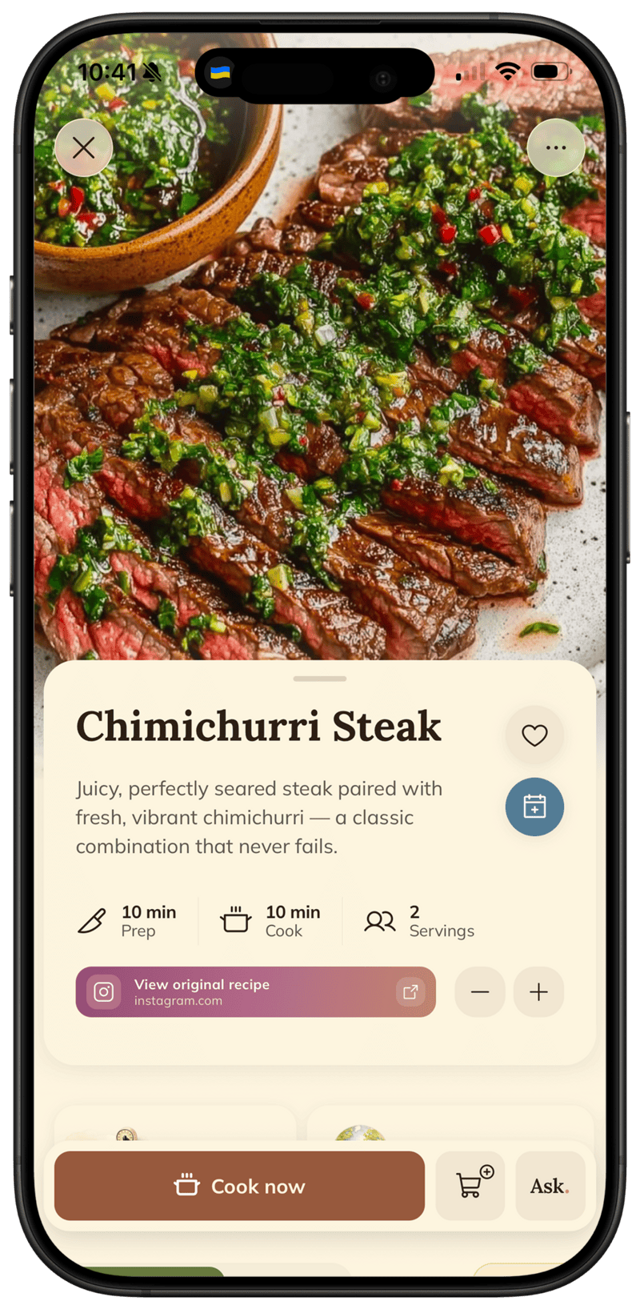
Questions always pop up mid-recipe. With FOODIE you don't open a browser — you ask the chef who already knows what you're cooking.
Cooking is full of small uncertainties: "What does fold in mean? Can I swap butter for oil? Is my pasta water salty enough?" Most apps send you to Google. FOODIE has a chef built in that already knows the exact recipe on your screen — so the answer fits.
Step by step
5 steps · 1 minute.
- 1
Tap Ask from any recipe.
Inside any saved recipe — or while you're in cooking mode — tap the Ask button. The AI sous-chef opens with the current recipe already loaded as context.
- 2
Just type your question.
Ask in plain language: "What does fold in actually mean?" "Can I swap butter for olive oil here?" "How do I know when the pasta is al dente?" Casual phrasing works.
- 3
Get an answer that fits this recipe.
Because the chef knows the recipe, substitution suggestions, technique tips, and timing answers actually match the dish you're cooking — not generic Google advice.
- 4
Keep cooking — no tab switching.
When you're done asking, swipe back. You're exactly where you left off in the recipe — same step, same place, no scrolling to find your spot.
- 5
Ask again whenever.
Got another question? Open Ask again. The chef remembers what you asked earlier in the conversation, so you can build on the previous answer instead of starting over.
Pro tips
From people who do this every week.
- ✦
Use Ask for substitutions before you start cooking — quicker than figuring it out mid-step with one hand on a pan.
- ✦
Ask about technique terms you're unsure of ("deglaze," "temper," "blanch") — you'll learn them in the context of a real recipe.
- ✦
If the recipe assumes a specific tool you don't have, ask the chef for an alternative method.
Why FOODIE for this
Made for exactly this workflow.
ChatGPT doesn't know what recipe is on your screen. A web search returns 10 SEO blog posts before the answer. FOODIE's chef has the recipe loaded as context, so every answer fits the exact dish you're cooking.
Try it for yourself
Try FOODIE today.
Free to download. Premium $4.17/month annually. Save your first recipe in under a minute.
Common questions
Frequently asked.
4 answers to the things people ask us most. Tap any question to expand.
01Does the chef actually know my recipe?
Yes. Whichever recipe you have open is loaded as context for the chat. Ask "can I swap the cream for milk?" and it answers based on the exact dish, not in the abstract.
02What kinds of questions can I ask?
Substitutions ("can I swap X for Y"), techniques ("what does fold in mean"), doneness ("how do I know when this is done"), troubleshooting ("why is my sauce splitting"), scaling ("how would this change for 6 people"), and more.
03Does it work offline?
No — the chat needs an internet connection because the AI runs on servers. Saved recipes stay accessible offline; the chat itself does not.
04Will the chat remember the recipe later?
Each cooking session is a fresh chat focused on the recipe in front of you. If you re-open the same recipe later and tap Ask, you start a new conversation with the same recipe context.
Related
Keep reading.
How to cook hands-free with greasy fingers
No more pinch-zooming with a knuckle. FOODIE's cooking mode is built for the messy reality of a real kitchen.
ReadWhat to cook with what's in your fridge
Half a zucchini, two eggs, leftover rice. FOODIE turns it into dinner — without a shopping trip.
ReadFOODIE vs Paprika
the classic paid recipe manager
ReadFOODIE vs Notion
the database you turned into a recipe app
ReadHow to tell when meat is done — without cutting it
The finger test, the temp shortcut, and the trick chefs actually use mid-service. No more dry steaks.
ReadHow to tell when oil is hot enough (without a thermometer)
Three fast checks pros use to read pan heat before food hits the oil.
ReadWhy pasta water makes your sauce silky (it's the starch)
That cloudy cooking liquid is the secret to sauce that actually clings — here's the science behind the Italian nonnas' trick.
Read