FOODIE.

Best of 2026

The 5 best apps to save YouTube recipes.

The recipe is somewhere in a 12-minute video, the pinned comment, or a wall of description text. These apps pull it into a clean, cookable recipe.

6 min read
Download on the App Store
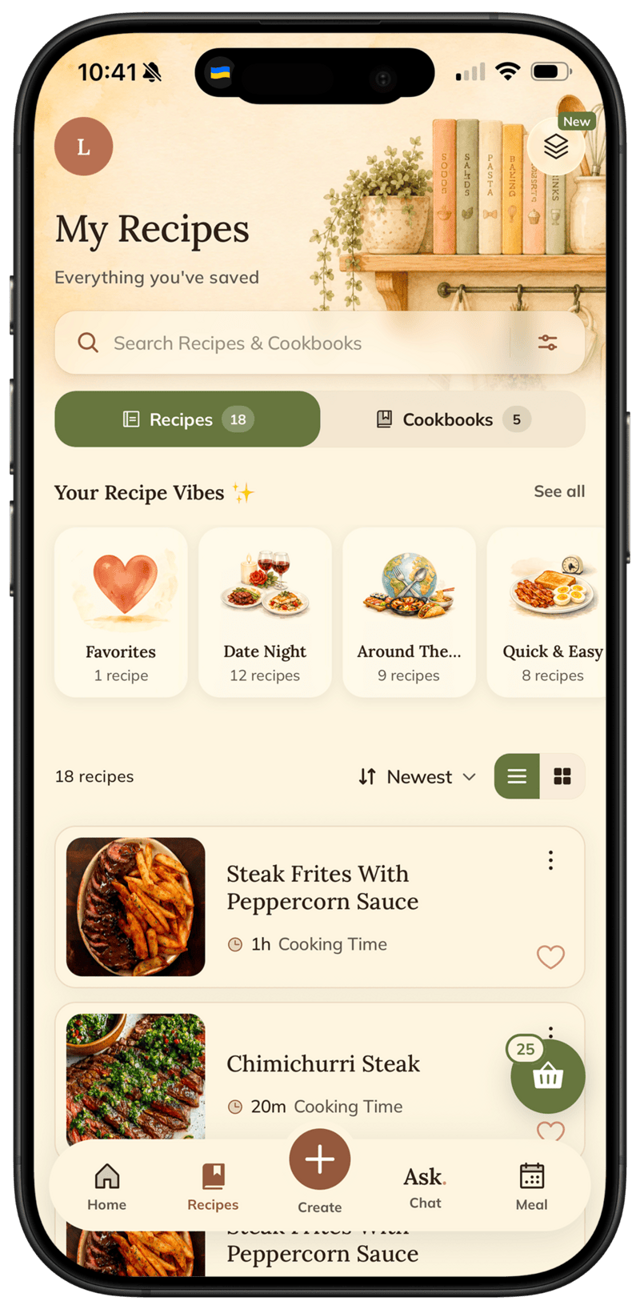
FOODIE app — recipe saved from Instagram

The recipe is in there somewhere — maybe narrated at 4:12, maybe dumped in the description, maybe only in a pinned comment. So you cook with one greasy thumb on the scrubber, rewinding to catch the flour you missed.

A good saver reads the video's description and details and hands you ingredients, steps, and times — no scrubbing. We ran the same cooking videos through each app, then cooked from what came out. Here's the ranking.

The short version

FOODIE reads a YouTube video's description and details into a structured, searchable recipe — then plans, shops, and cooks it with you.

Download on the App Store

Reel → Recipe

How to save a recipe from a YouTube video

From a 12-minute video to a cookable recipe in a few taps:

1.

Share or paste the link

Send the YouTube video to FOODIE (or paste its URL) — no scrubbing, no copying the description by hand.

2.

AI reads it into a recipe

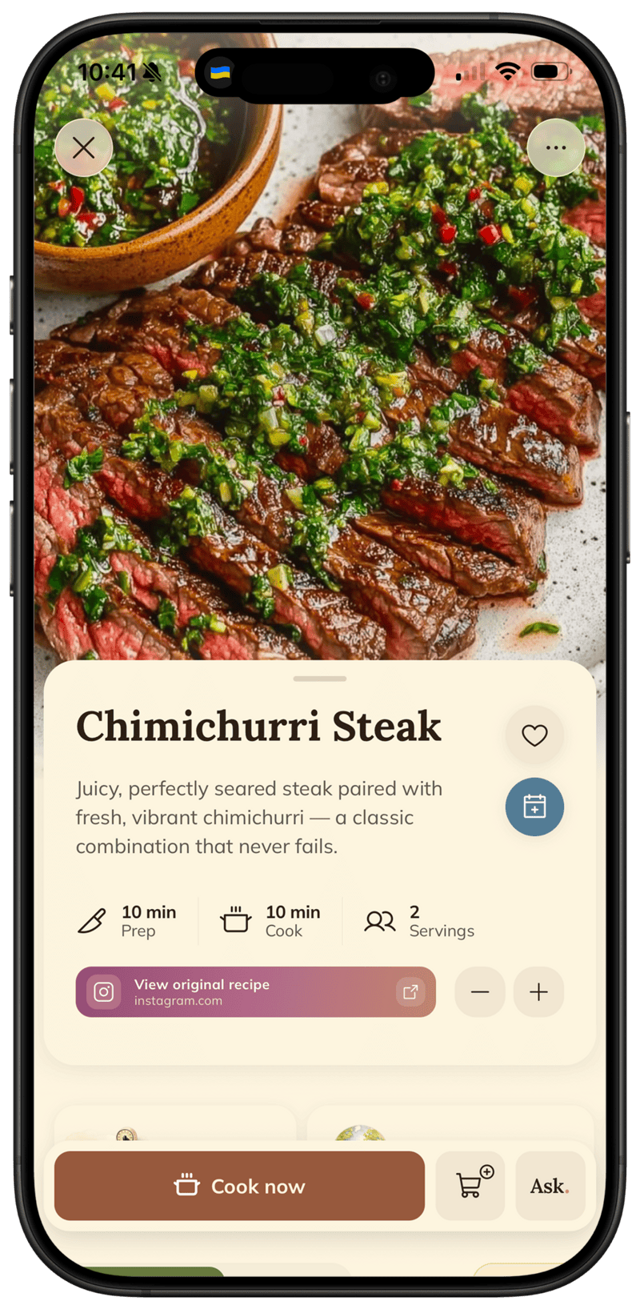
It pulls ingredients, steps, times and servings from the video's description and details, with a link back to the creator.

3.

Cook it tonight

It lands in a vibe collection, ready for the meal plan, grocery list, and hands-free cooking mode.

🍝

@pasta.tonight

POV: the only gochujang pasta you'll ever need 🔥 full recipe in the comments 👇

♡ 12.4k   💬 891   ➤

Share → FOODIE~10 seconds

Gochujang Pasta

10 min prep · 15 min cook · 2 servings

8 oz rigatoni
2 tbsp gochujang
3 cloves garlic

Step 1 of 6

Boil the rigatoni in salted water…

Cook now

Methodology

How we tested

Every app got the same cooking videos and the same five questions:

1Save speed

How many taps from a video to a saved recipe — a share, or a copy-paste from the description?

2Parsing accuracy

Can it pull ingredients and steps out of a rambling description or a linked blog?

3Findability

A week later, can you find that video's recipe by an ingredient?

4The cook test

Scaling and step-by-step you can follow without scrubbing the video.

5Price honesty

What the free tier really covers. Ads count as a price.

The ranking

All 5 apps, tested and ranked

Our pick · Best overall

FOODIE logo1

FOODIE.

4.8 /5

AI reads the video's description into a recipe

Paste or share a YouTube link and FOODIE reads the video's description and details into a real recipe: ingredients with amounts, numbered steps, times, servings — plus a link back to the video. If the description is thin, the AI chat helps you finish it.

And it carries you past the save: vibe collections, weekly plan, aisle-grouped groceries, tap-to-advance cooking. Honest limits: it needs some text to work from (pure-visual videos parse partially), and it's iPhone-only.

+ Paste or share any YouTube link+ AI pulls ingredients & steps from the description+ Keeps a link back to the original video+ Plan, shop & cook built inNeeds a written description; pure-visual videos parse partiallyiOS only today

The only app here that turns a rambling cooking video into a recipe you can cook from — no scrubbing.


Anyone who cooks from YouTube and wants it structured · Free + $3.33/mo annually

Download on the App Store
Samsung Food app icon2

Samsung Food

3.9 /5

Free — best when the video links a blog

Free and a strong web importer, so when a creator links their blog recipe in the description, Samsung Food grabs it cleanly. Without that link it leans on you — and the appliance ads and Samsung account are the usual tax.

+ Free+ Excellent web-recipe importLeans on the creator's blog linkHeavy appliance adsSamsung account required

Great when the creator did the work and linked a blog — less so otherwise.

Videos whose creators link a full blog recipe · Free with ads

vs FOODIE →
ReciMe app icon3

ReciMe

4.2 /5

Social-first saver with a tidy library

Best if YouTube is just one of your sources alongside Instagram and TikTok — the library is clean and the social parsing is strong. YouTube support is lighter than its Reel/TikTok handling, and there's no hands-free cooking mode.

+ Clean, modern library+ Strong on social linksYouTube support lighter than Reels/TikTokNo hands-free cooking modeEnglish-first

A tidy multi-source library — YouTube is the weakest of its three.

People saving from Reels, TikToks and the odd YouTube link · Free + Pro

vs FOODIE →
4

ChatGPT

3.5 /5

Paste a link or transcript, ask for a recipe

Genuinely useful in a pinch: paste the description or transcript and ask for a clean recipe. But it's a chat, not a cookbook — nothing is saved, searchable, or ready to cook from, so you end up copying the result into some other app anyway.

+ Flexible — paste a transcript and ask+ Free tier availableNo recipe library or searchNo cooking mode or grocery listYou move the result somewhere yourself

A capable one-off converter — but you're the recipe library.

People who already live in ChatGPT · Free / Plus

vs FOODIE →
Apple Notes app icon5

Apple Notes

3.0 /5

Paste the link into a note

Free and already installed — but it only stores the link. No extraction, no ingredients, no steps, no search: you're back to scrubbing the video every time you cook.

+ Free, built-in+ Syncs across Apple devicesNo extraction — just a saved linkNo ingredients or stepsNo search

A saved link, not a saved recipe.

A handful of saves a year · Free

vs FOODIE →

The bottom line

Which one should you pick?

You cook from YouTube weekly and want it structured

FOODIE

The creator always links a blog recipe and you want free

Samsung Food

Your saves are mostly Reels and TikToks too

ReciMe

You already live in ChatGPT and don't need a library

ChatGPT

You save one video a year

Apple Notes

Try it for yourself

Try our #1 pick free.

FOODIE is free to download. Premium $3.33/month annually unlocks unlimited AI generation and full meal planning.

Download on the App Store

Free to download. Premium $3.33/mo, billed annually.

FOODIE app

Common questions

Frequently asked.

5 answers to the things people ask us most. Tap any question to expand.

Updated 2026
01How do I save a recipe from a YouTube video?

Share or paste the video link into a recipe saver like FOODIE. It reads the video's description and details and turns them into a structured recipe — ingredients, steps, times — with a link back to the original video.

02What if the recipe isn't written in the description?

FOODIE drafts what it can from whatever text the video provides, and you can ask its AI chat to fill in missing amounts or write the steps out. Fully visual videos with no text will only parse partially.

03Can I save a YouTube recipe for free?

Yes — FOODIE's free tier covers saving, up to 5 recipes. Samsung Food is free with ads. Premium unlocks unlimited saves, AI generation, and meal planning.

04Does it keep a link to the original YouTube video?

Yes — FOODIE keeps a link back to the source video on every saved recipe, so you can rewatch it and credit the creator.

05Is there an Android version?

FOODIE is iPhone-only today. Samsung Food and ReciMe cover Android if that's a dealbreaker.