FOODIE.

Best of 2026

The 5 best recipe organizer apps.

Screenshots, links, saved Reels, a drawer of index cards — the best recipe keepers pull it all into one searchable place you can cook from.

6 min read
Download on the App Store
FOODIE app — recipe saved from Instagram

The problem was never finding recipes — it's finding them again. The lasagna you screenshotted, the curry a friend sent, the Reel you saved: all real, all lost the moment you need them at 6pm on a Tuesday.

A good recipe keeper fixes that: one place, real structure, search by ingredient, and a way to actually cook from it. We loaded the same messy pile of recipes into each app, then came back a week later and tried to cook. Here's the ranking.

The short version

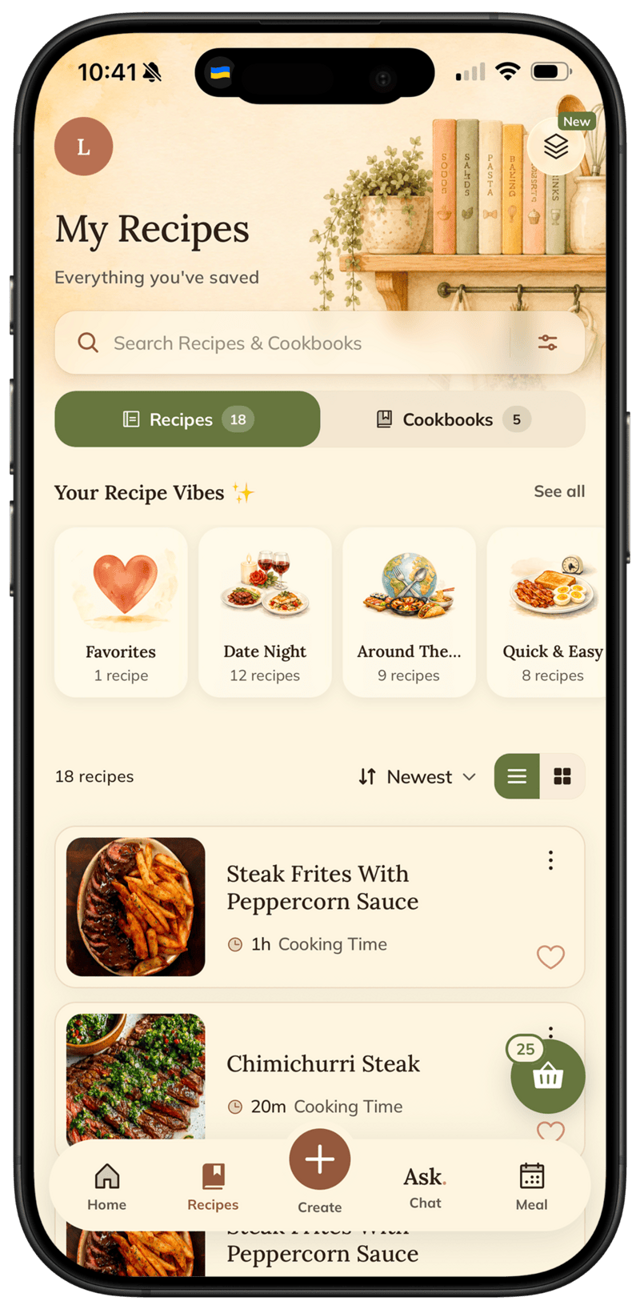
FOODIE keeps every recipe — imported, AI-generated, or saved from social — auto-organized into vibe collections and ready to cook.

Download on the App Store

Methodology

How we tested

Every app got the same scattered recipes and the same five questions:

1Import & capture

Can it pull recipes in from links, photos and social — or is it manual typing only?

2Organization

Collections, cookbooks, tags — and does anything sort itself, or is it all on you?

3Findability

A week later, can you find a recipe by an ingredient you half-remember?

4The cook test

Scaling, step-by-step mode, hands-free — does it actually help at the stove?

5Price honesty

What the free tier really covers. Ads count as a price.

The ranking

All 5 apps, tested and ranked

Our pick · Best overall

FOODIE logo1

FOODIE.

4.8 /5

An AI recipe journal that organizes itself

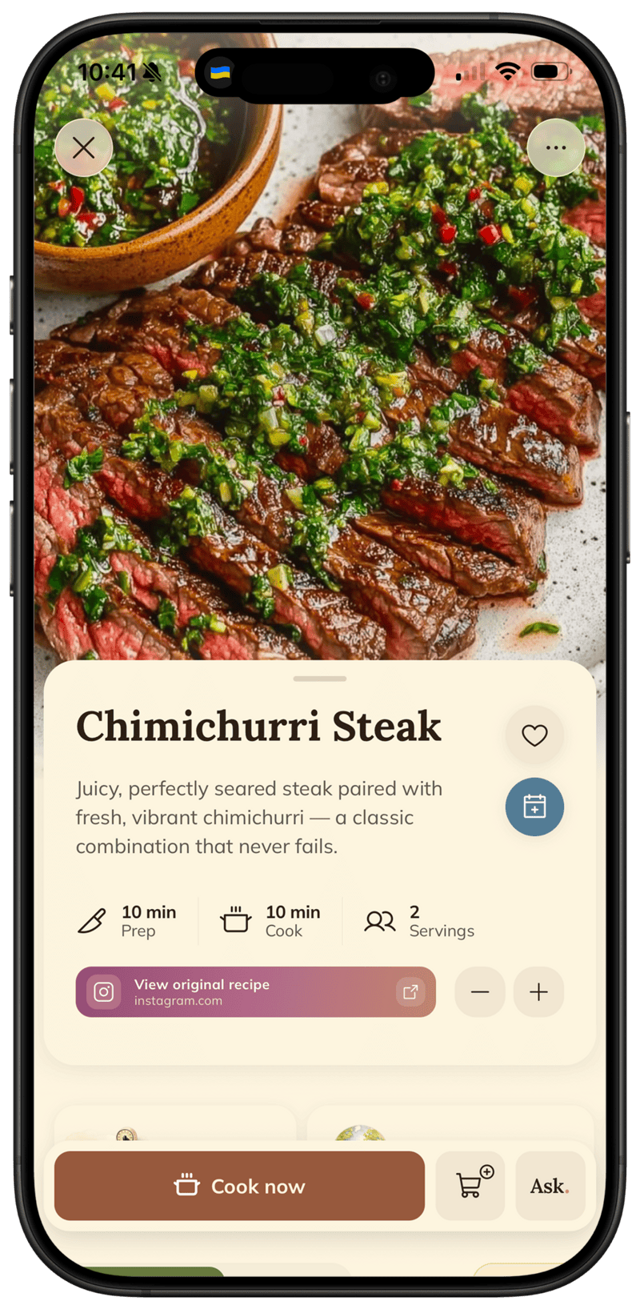
Everything lands in one place — links, photos, Instagram/TikTok saves, or a recipe the AI writes from a chat about your fridge — and it sorts itself into vibe collections like Date Night and Quick & Easy. You search by name or ingredient and it's just there.

It's also the only one that carries you past storage into cooking: weekly meal plan, aisle-grouped grocery list, tap-to-advance cooking mode, auto-translation. Honest downside: iPhone-only today.

+ Imports from links, photos, Instagram, TikTok, YouTube+ AI auto-sorts saves into vibe collections+ Search by name or ingredient+ Cookbooks you design + tap-to-advance cookingiOS only today

The only keeper that files your recipes for you — and then helps you cook them.

Anyone who wants one searchable home for every recipe · Free + $3.33/mo annually

Download on the App Store
2

Paprika

4.6 /5

The classic paid recipe manager

The veteran, and still the answer if you live across Mac, Windows, iOS and Android. Rock-solid web import and reliable sync — it just looks its age, has no AI, and you pay per platform.

+ Mac, Windows, iOS & Android sync+ Reliable web-recipe import+ No subscription treadmillDated interfaceNo AIPay per platformManual for social saves

The best cross-platform keeper — if a dated interface doesn't bother you.

Cross-platform households · ~$5 per platform

vs FOODIE →
Crouton app icon3

Crouton

4.5 /5

The prettiest iOS-native cookbook

Gorgeous, native, and a joy for recipes that come from websites — with cooking mode and timers built in. But social saves mean copying captions by hand, and it's Apple-only.

+ Gorgeous native design+ Great web-recipe import+ Cooking mode & timersApple-onlyManual for Instagram/TikTok

A beautiful cookbook for web recipes — less so for the social pile.

Blog-recipe cooks on Apple devices · Free + IAP

vs FOODIE →
ReciMe app icon4

ReciMe

4.4 /5

Social-first saver with a tidy library

If your recipe box is really your Instagram saves, ReciMe organizes them well with strong parsing and a clean library. Just don't expect a meal planner or hands-free cooking, and it's English-first.

+ Strong Instagram/TikTok parsing+ Clean, modern libraryLight meal planningNo hands-free cooking modeEnglish-first

A tidy home for social saves — light on everything after the save.

People whose recipes come from Reels and TikToks · Free + Pro

vs FOODIE →
Apple Notes app icon5

Apple Notes

3.0 /5

Free, manual, unstructured

Free and already on your phone — fine until you have more than a few recipes. There's no structure, so ingredients aren't searchable, nothing scales, and finding anything means scrolling.

+ Free, already installed+ Syncs across Apple devicesNo structure or ingredientsNo scaling or cooking modeNo ingredient search

A folder, not an organizer — it stops helping the moment your collection grows.

A handful of recipes, no search needed · Free

vs FOODIE →

The bottom line

Which one should you pick?

You want recipes to organize themselves and cook hands-free

FOODIE

You need Windows / Android sync above all else

Paprika

You want the prettiest iOS cookbook for blog recipes

Crouton

Most of your recipes come from Instagram and TikTok

ReciMe

You keep five recipes and never search them

Apple Notes

Try it for yourself

Try our #1 pick free.

FOODIE is free to download. Premium $3.33/month annually unlocks unlimited AI generation and full meal planning.

Download on the App Store

Free to download. Premium $3.33/mo, billed annually.

FOODIE app

Common questions

Frequently asked.

5 answers to the things people ask us most. Tap any question to expand.

Updated 2026
01What's the best recipe organizer app?

FOODIE — it imports from links, photos, and social media, auto-sorts everything into collections, and lets you search by ingredient and cook hands-free. Paprika is the best cross-platform alternative.

02What's the best free recipe keeper app?

FOODIE's free tier keeps up to 5 recipes with search and basic cooking mode. Apple Notes is free but unstructured. Beyond a handful of recipes, a real keeper pays off fast.

03Is there a digital recipe box that syncs across devices?

Paprika syncs across Mac, Windows, iOS and Android. FOODIE syncs across your Apple devices today, with more platforms on the roadmap.

04Can a recipe organizer pull recipes from Instagram or a website?

Some can. FOODIE and ReciMe turn Instagram and TikTok posts into structured recipes; Paprika and Crouton import from recipe websites. Apple Notes leaves the copy-paste to you.

05How is a recipe keeper different from just using Notes?

Structure. A keeper stores ingredients and steps as real data — so you can search by ingredient, scale servings, build a grocery list, and cook step-by-step. Notes just stores text.